.png?width=240&height=55&name=Untitled%20design%20(86).png)
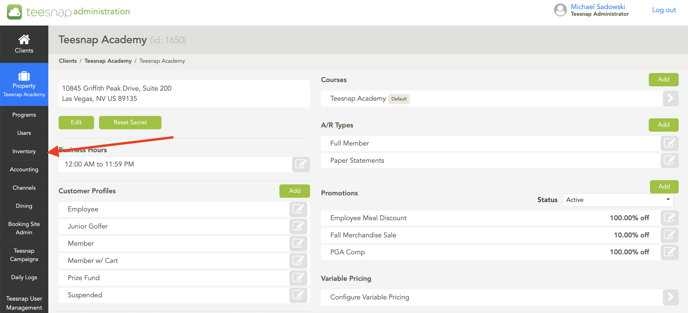
1. In the admin portal, click INVENTORY on the left side of the screen.
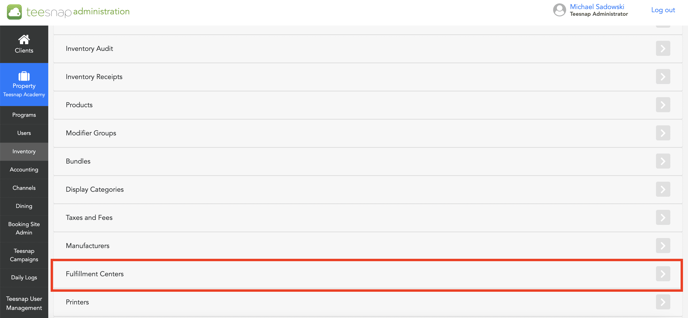
 2. At the bottom of the list select fulfillment centers.
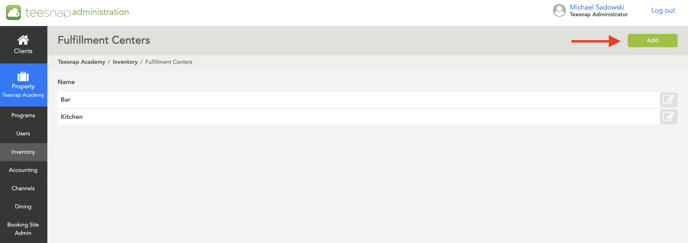
 3. To add a new fulfillment center, click the green add button in the top right corner.
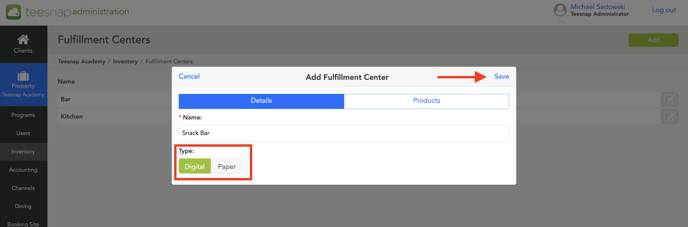
4. The add fulfillment center window will appear where you will give the name of the center, and decide whether or not this is digital or paper. In our case, we selected digital, and then clicked the save button in the top right corner of the window.
If you have any questions, please do not hesitate to reach out to Teesnap Support by emailing us at support@teesnap.com or calling 844-458-1032.