.png?width=240&height=55&name=Untitled%20design%20(86).png)
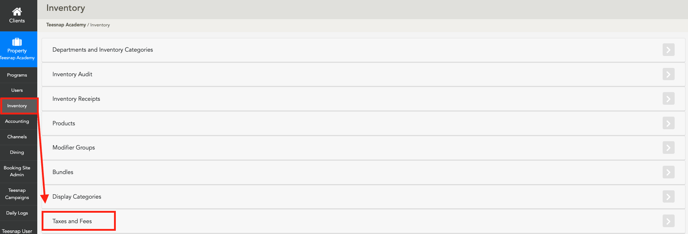
1. From the Admin Portal select the Inventory Tab and then Taxes and Fees.
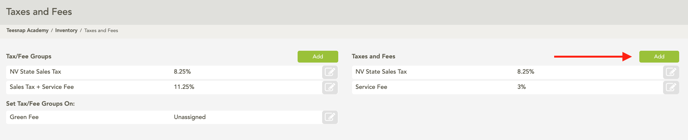
2. Under Taxes and Fees select Add.
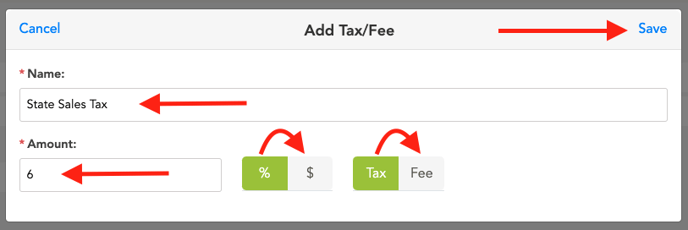
3. Enter the name, an example would be State Sales Tax. Then enter the amount and choose whether this is a percentage or dollar amount and if this is a tax or fee. When complete select Save.
If you have any questions, please do not hesitate to reach out to Teesnap Support by emailing us at support@teesnap.com or calling 844-458-1032.