.png?width=240&height=55&name=Untitled%20design%20(86).png)
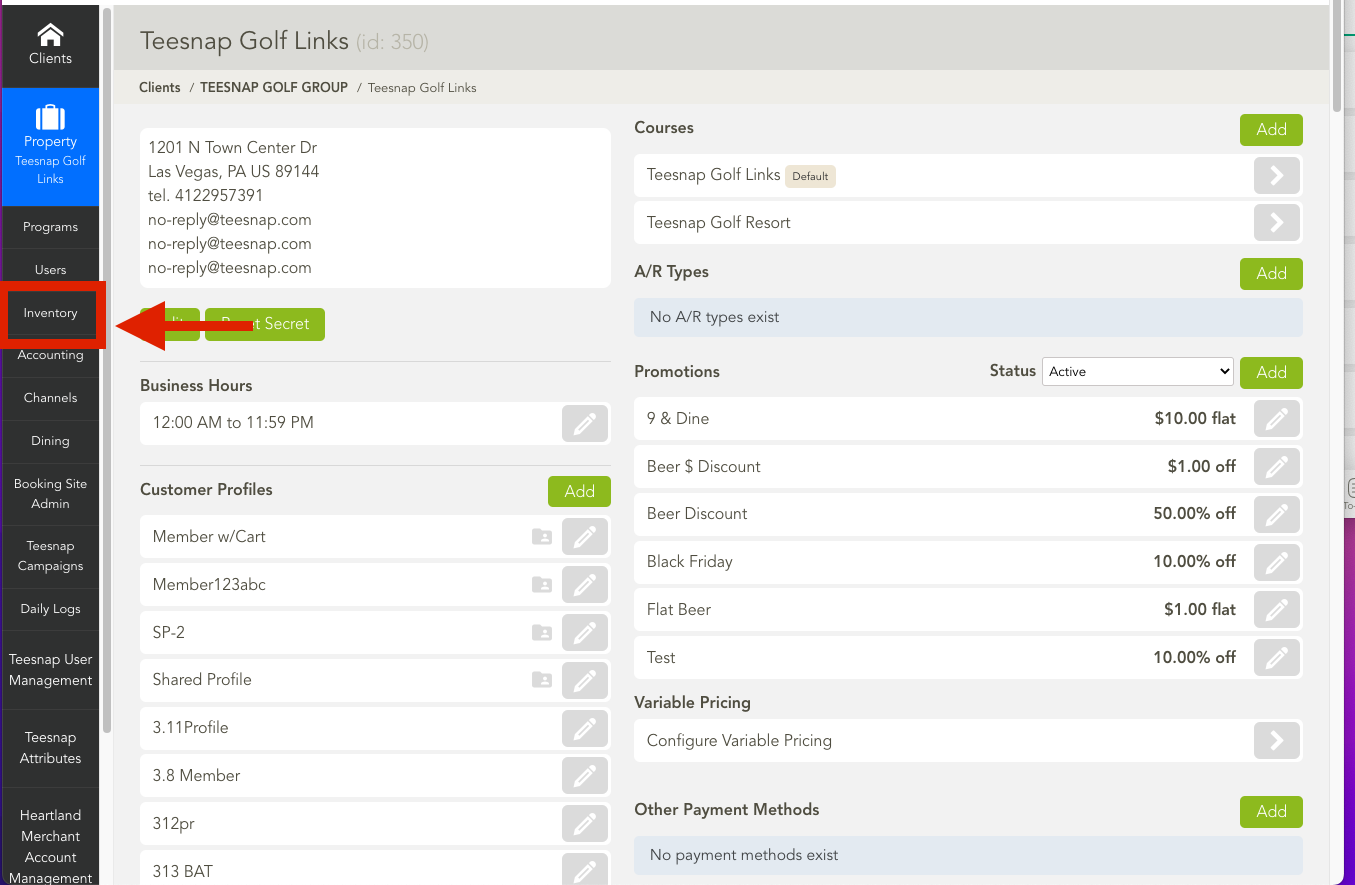
1. Click and open the "Inventory" tab.
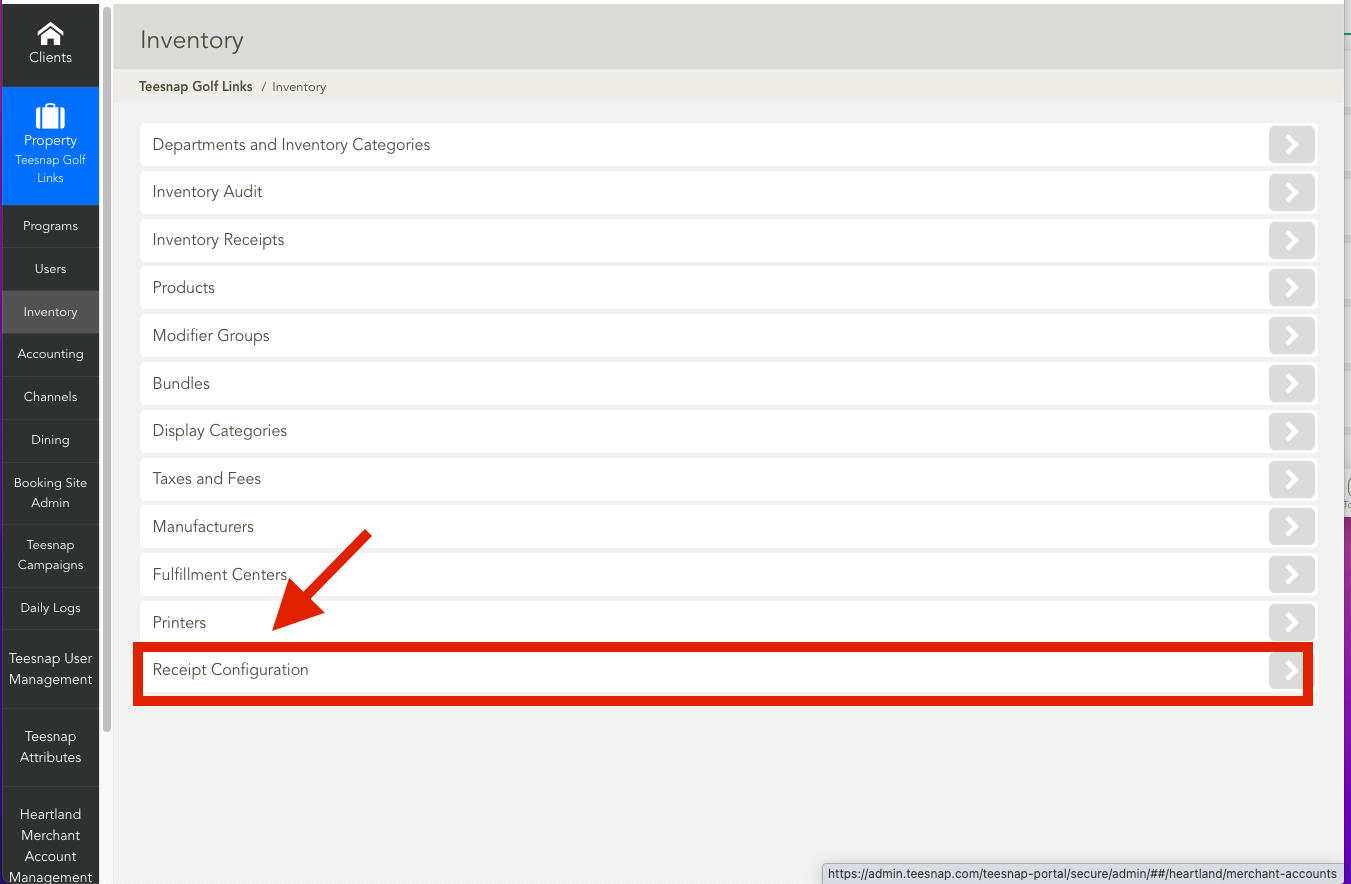
2. Click and open the "Receipt Configuration."
3. You will find a "Tip Suggestion" line. This is where you can adjust the tip lines as desired.
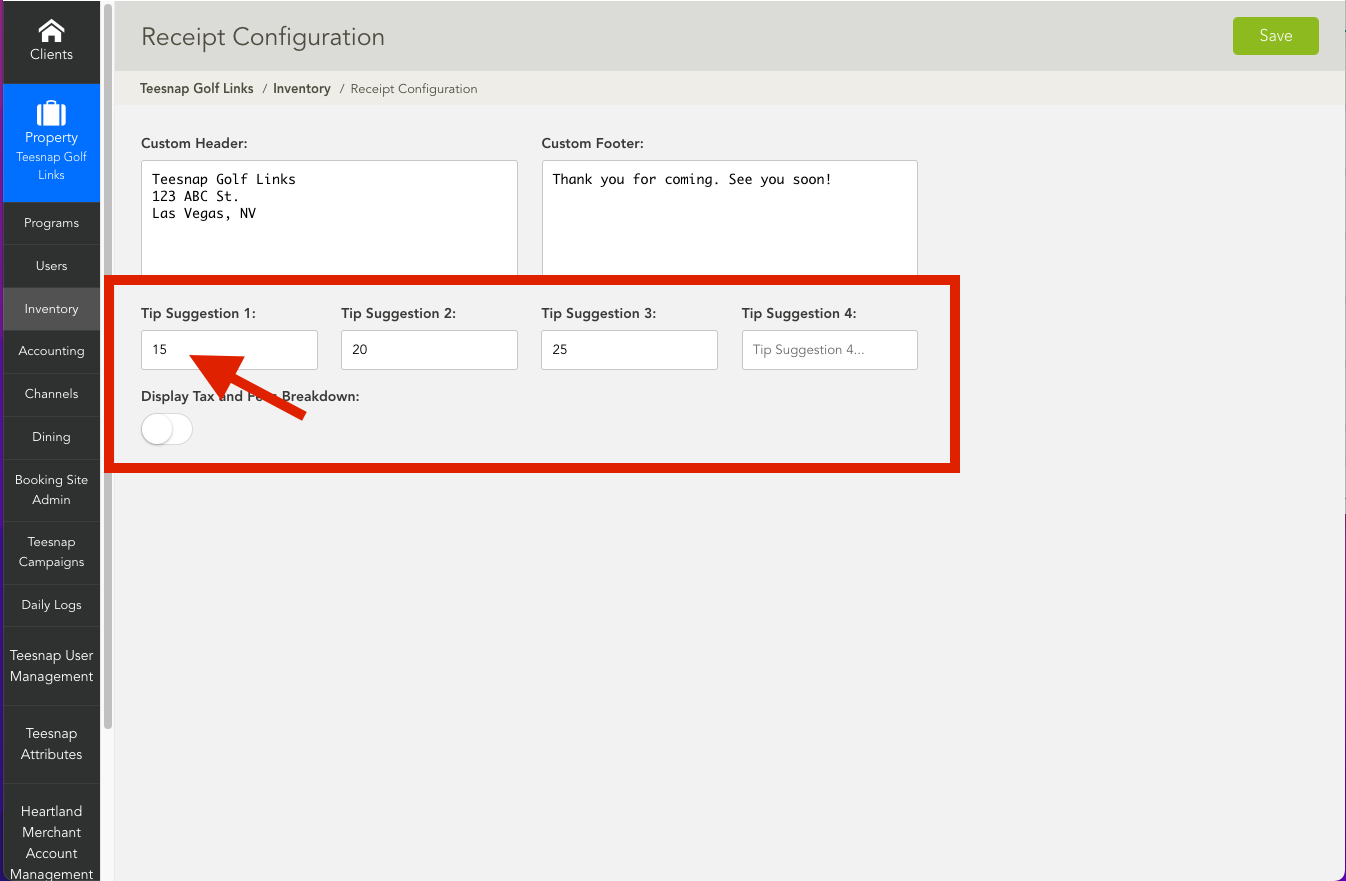
4. Here we have adjusted the tip suggestions to 15%, 20%, and 25%. These tips can be adjusted however you want.
If you have any questions, please do not hesitate to reach out to Teesnap Support by emailing us at support@teesnap.com or calling 844-458-1032