.png?width=240&height=55&name=Untitled%20design%20(86).png)
In this article you will find a step by step guide to changing the number of covers on a tab.
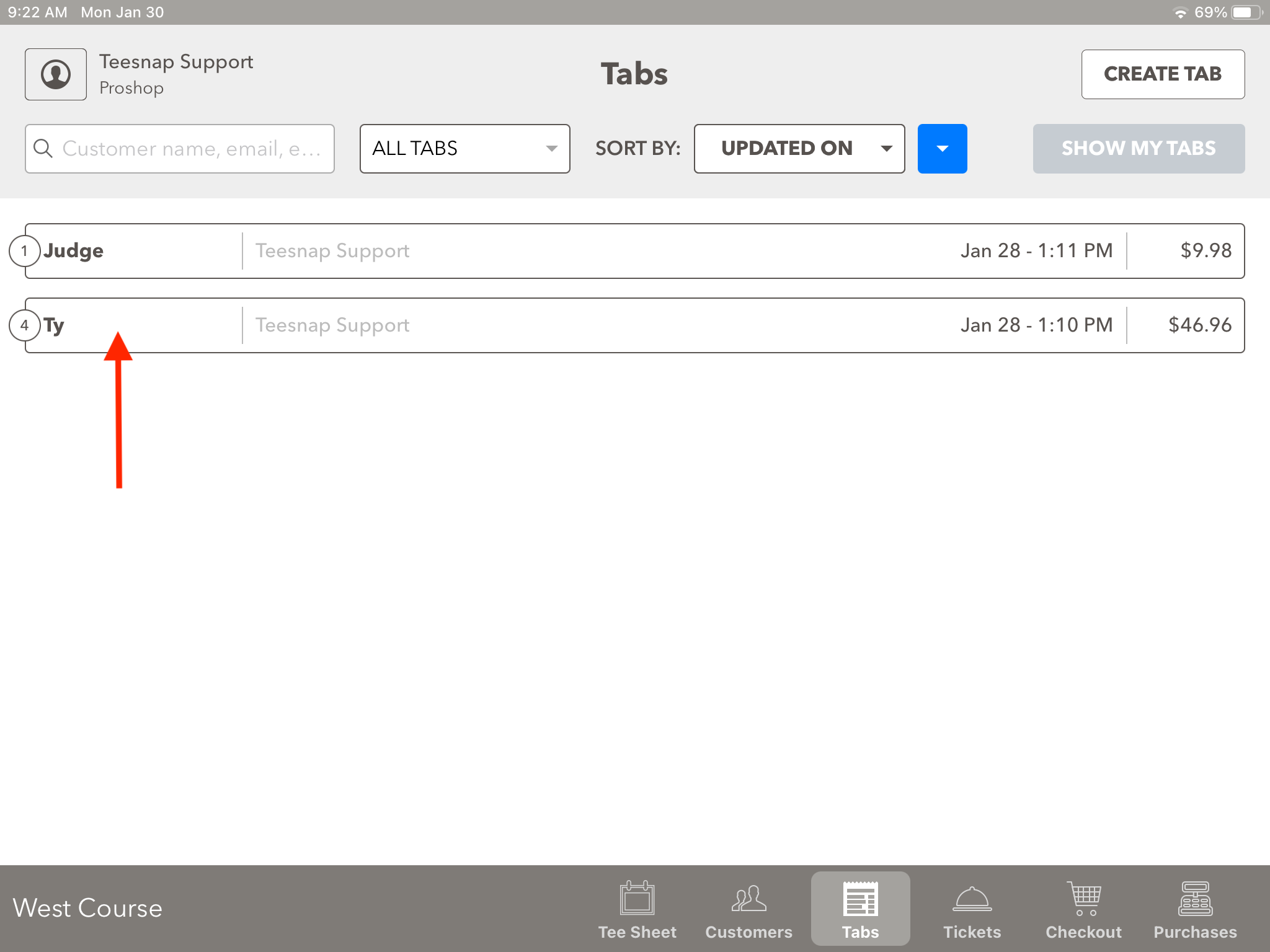
1. To change the number of covers on a tab select the tab
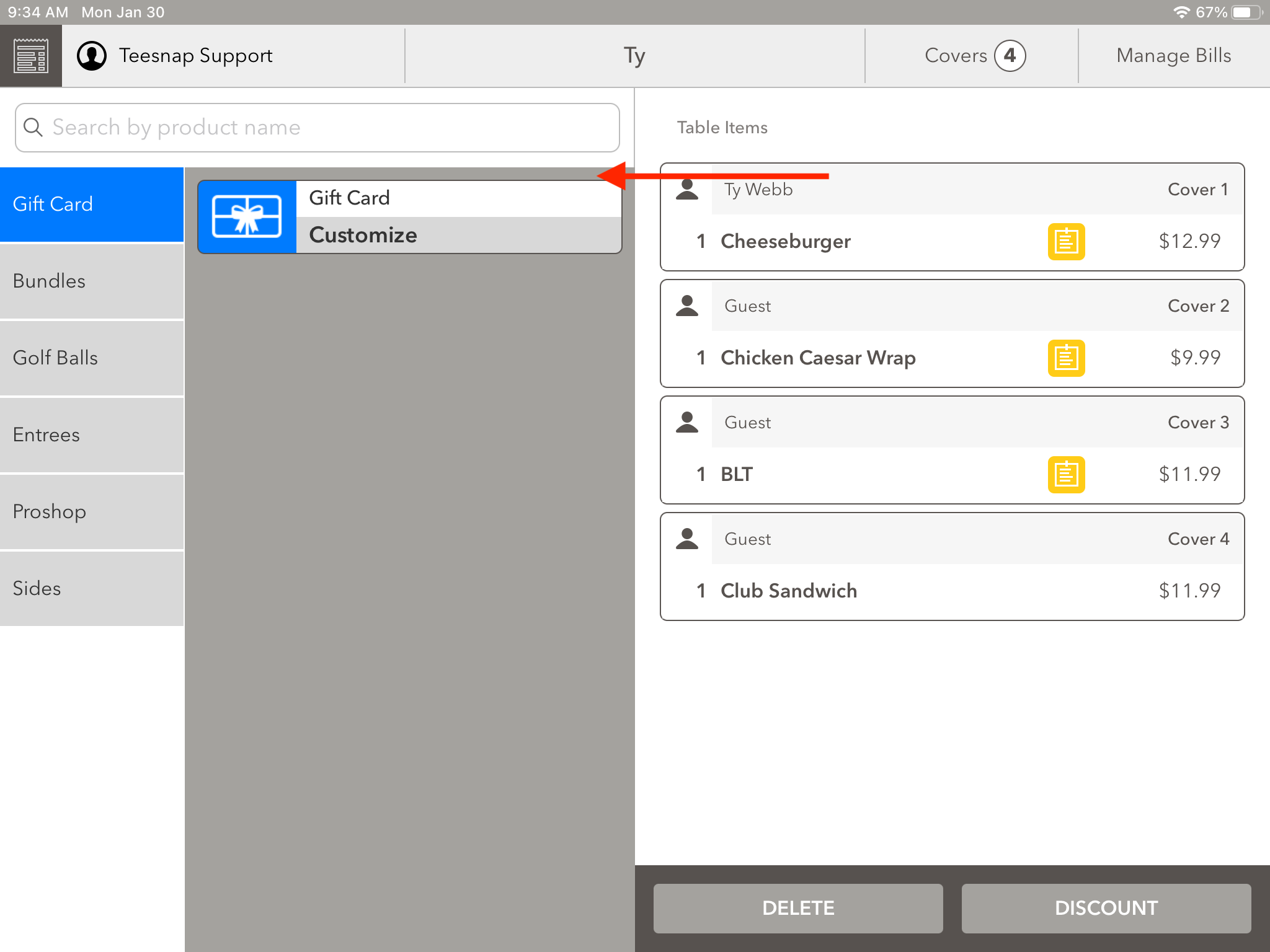
2. Swipe from right to left on a guest's name in the tab screen.
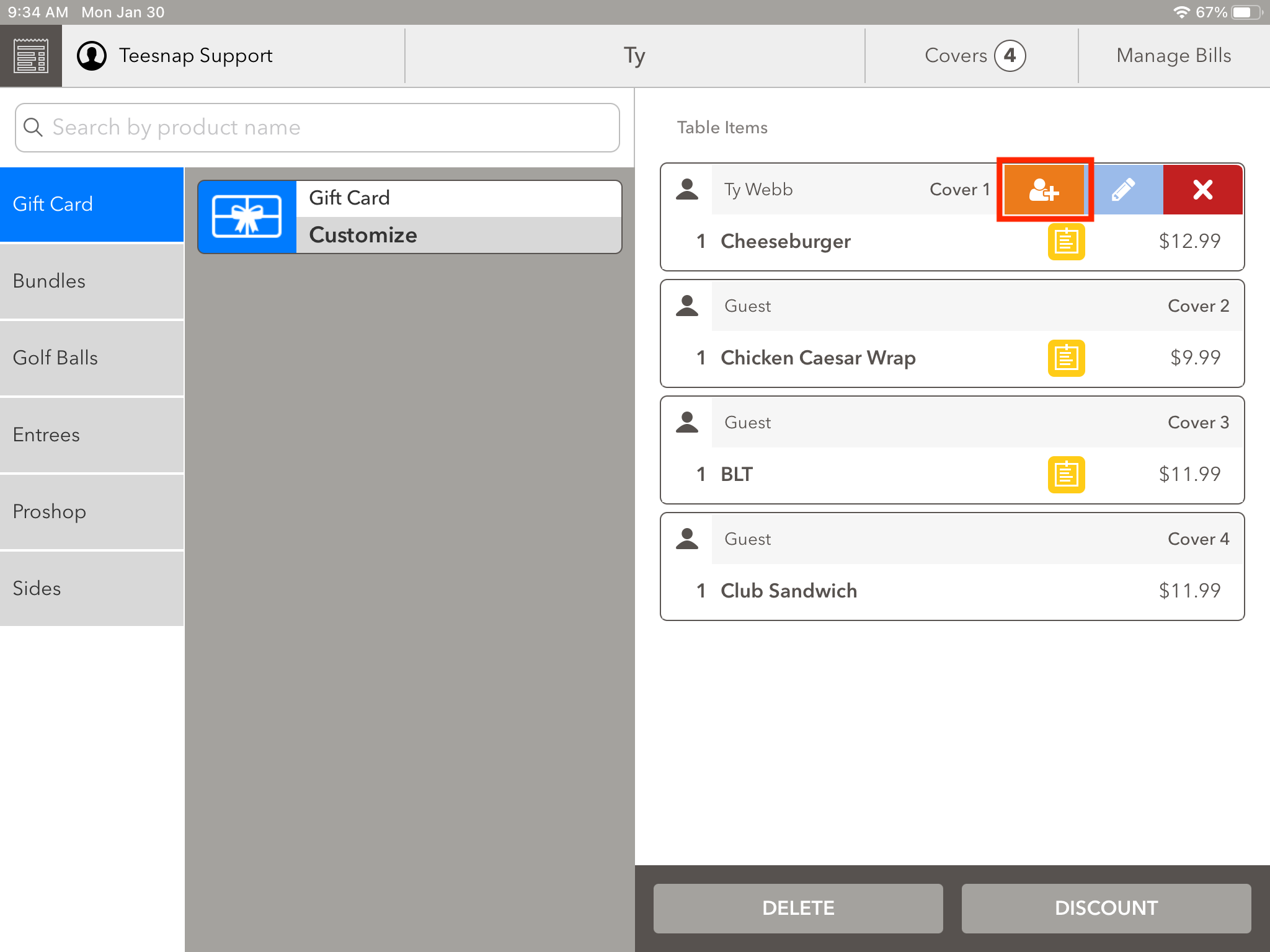
3. After swiping from right to left, it will bring up options. Tap the orange icon to add an additional cover.
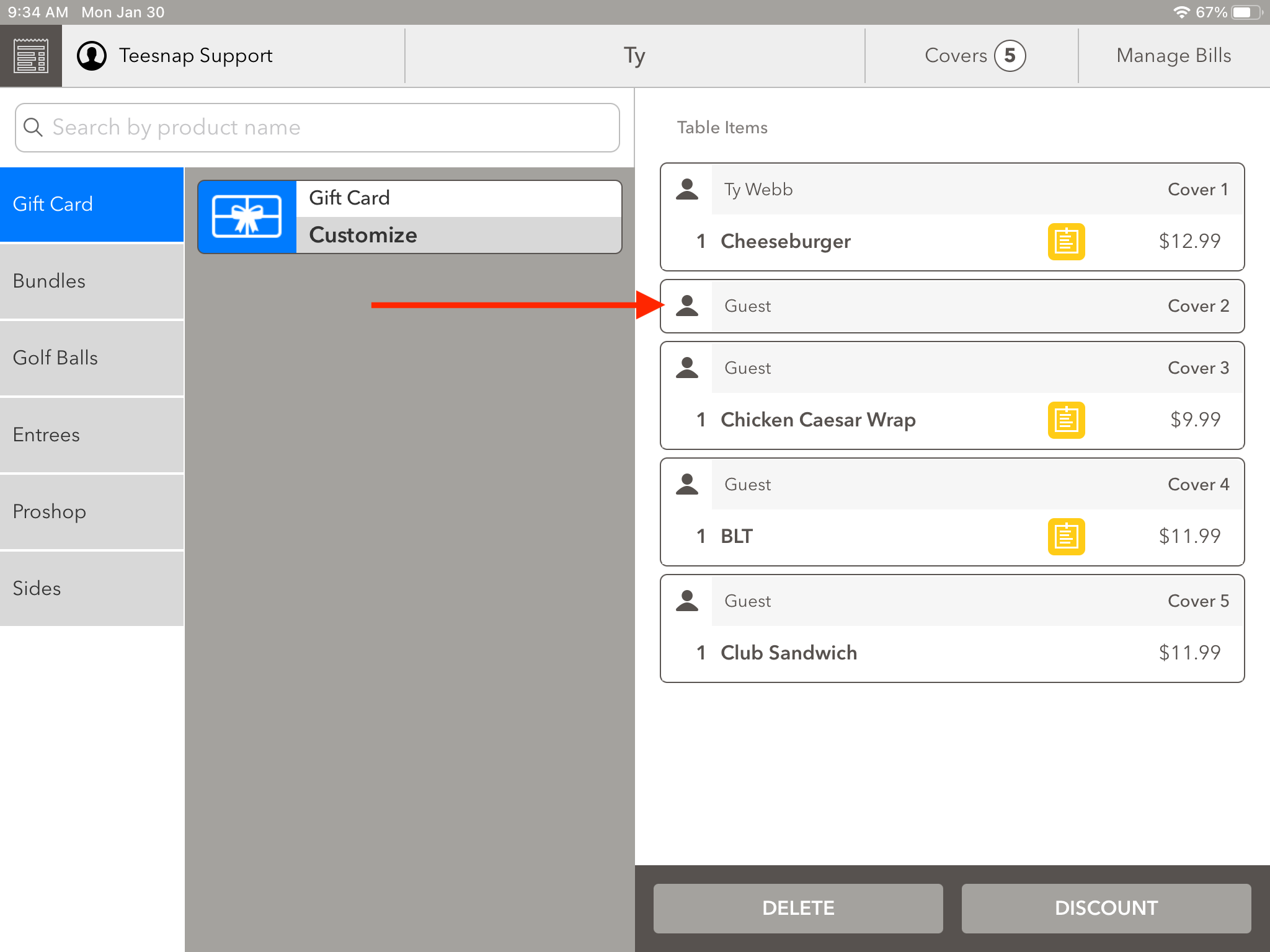
3. Now we can see the guest has been added to the tab.
If you have any questions, please do not hesitate to reach out to Teesnap Support by emailing us at support@teesnap.com or calling 844-458-1032