.png?width=240&height=55&name=Untitled%20design%20(86).png)
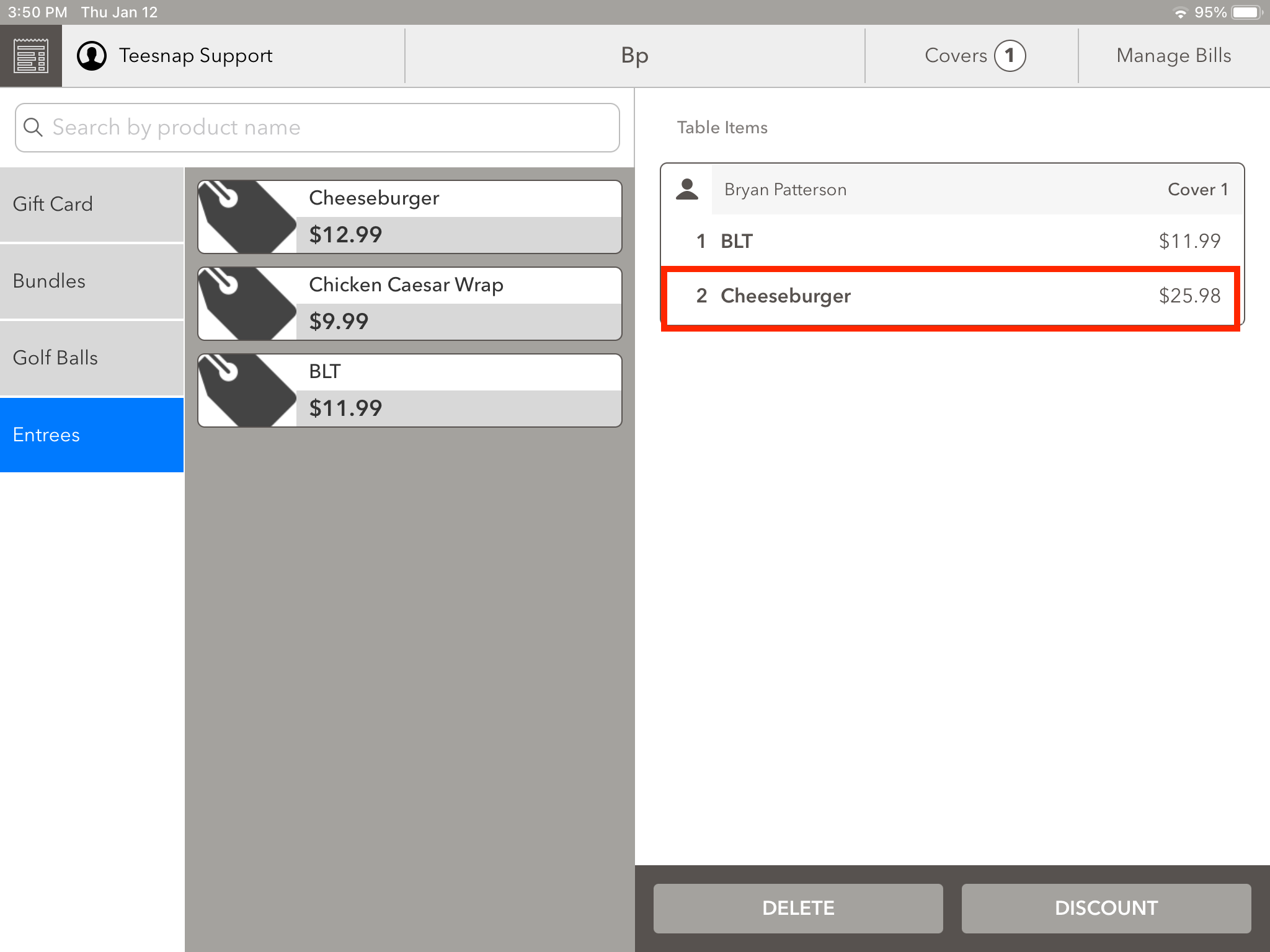
1. To remove an item from a tab, such as the excess Cheeseburgers mistakenly added in this example, all you need to do is click on the item's name.
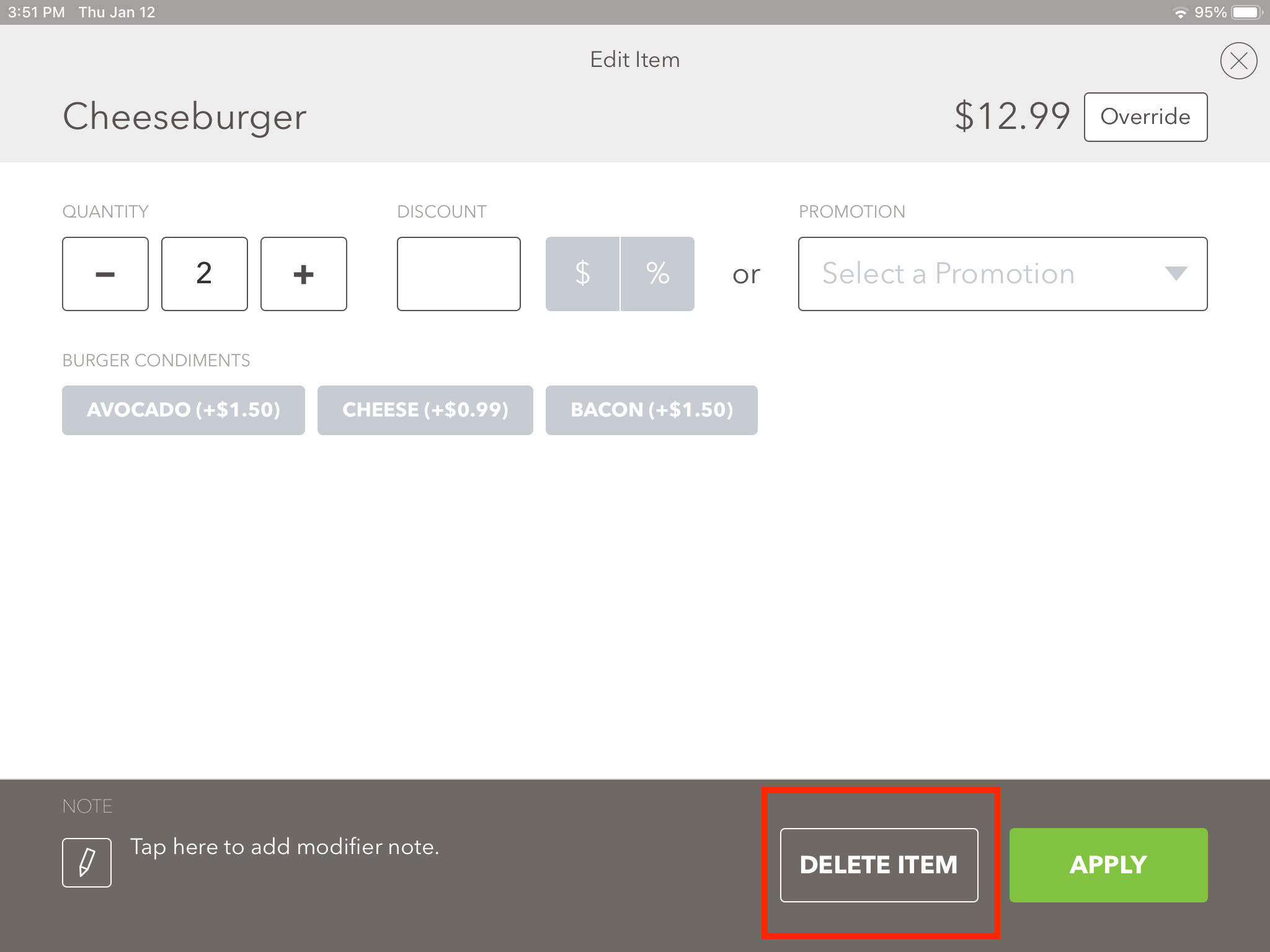
2. After choosing the item you want to remove, the below screen will appear. Simply click on "Delete Item" to proceed.
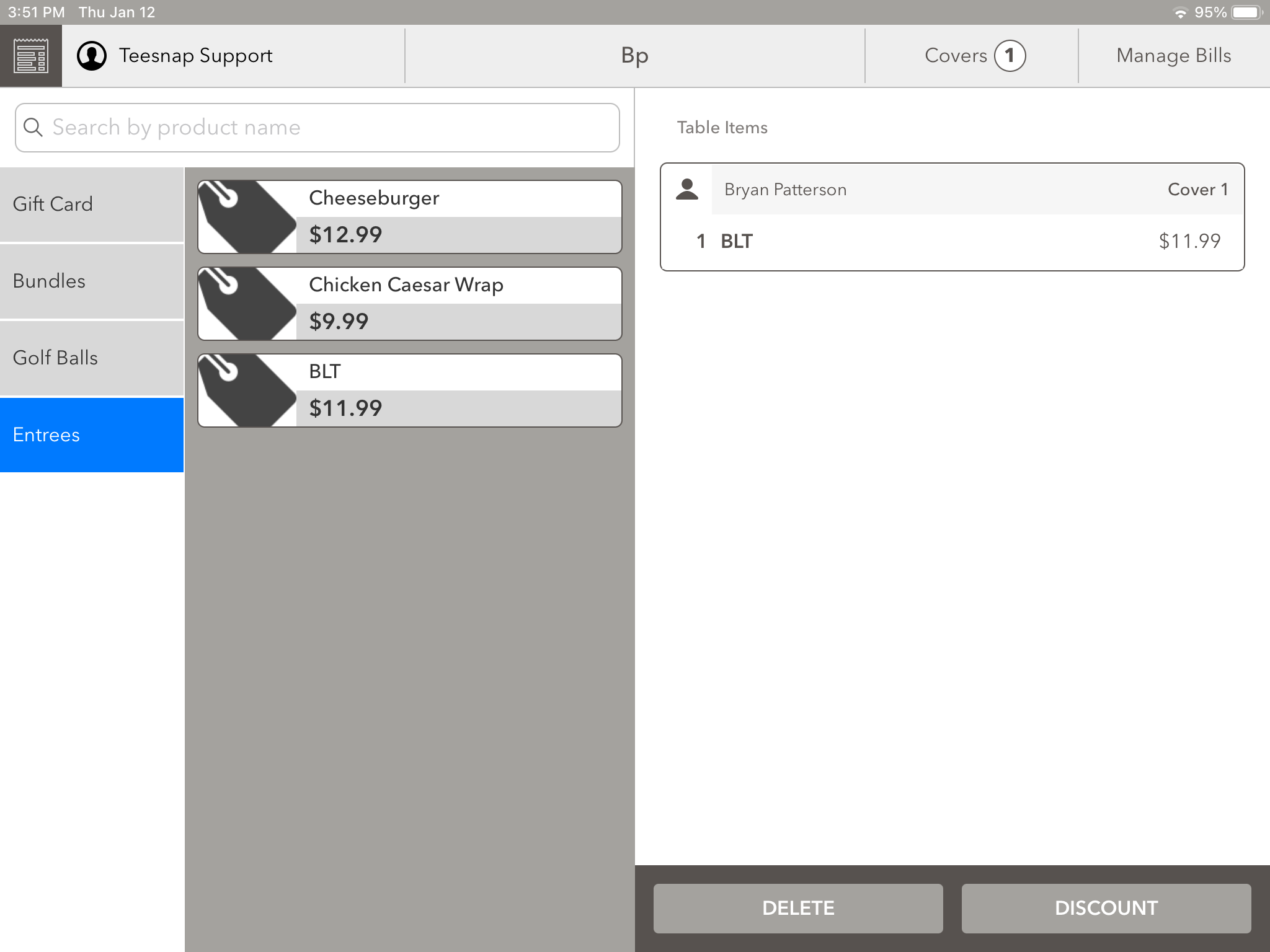
3. After successfully deleting the item, you will be redirected back to the tabs page where you will see that the item has been removed.
If you have any questions, please do not hesitate to reach out to Teesnap Support by emailing us at support@teesnap.com or calling 844-458-1032