.png?width=240&height=55&name=Untitled%20design%20(86).png)
In this article, we will show you the steps to designate a profile for members. A tee time made for customers using this profile will show an "M" on the tee sheet, alerting the staff that it is a member tee time.
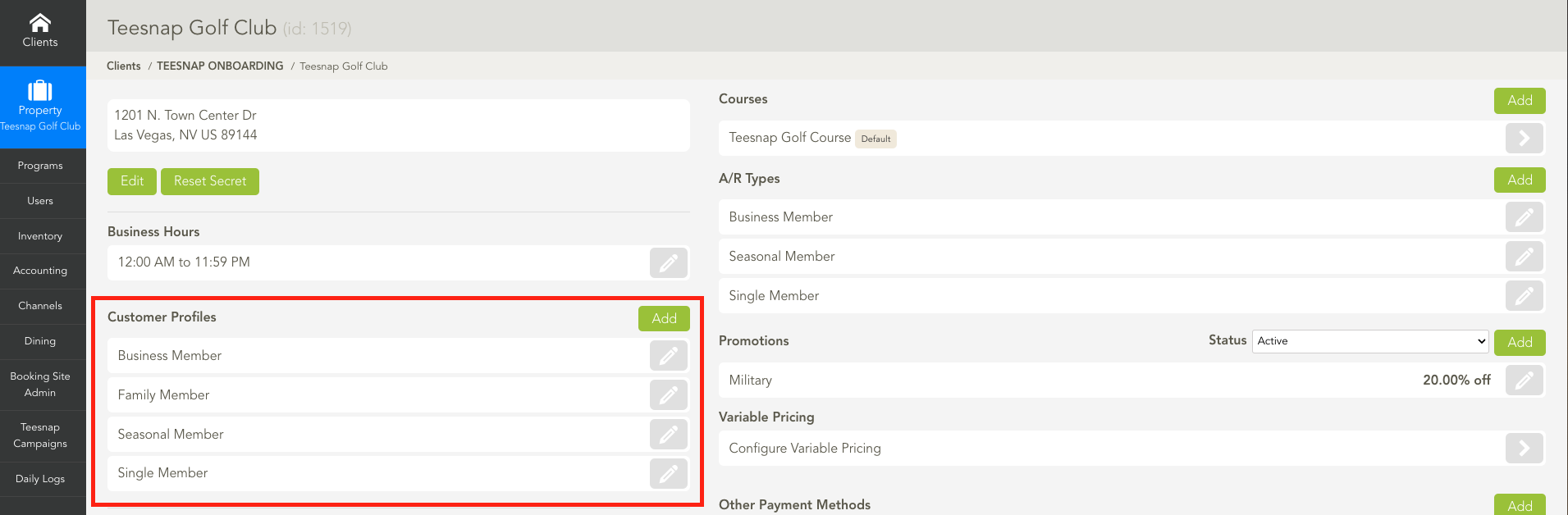
1. Log in to the Admin Portal. From the dashboard, locate Customer Profiles.
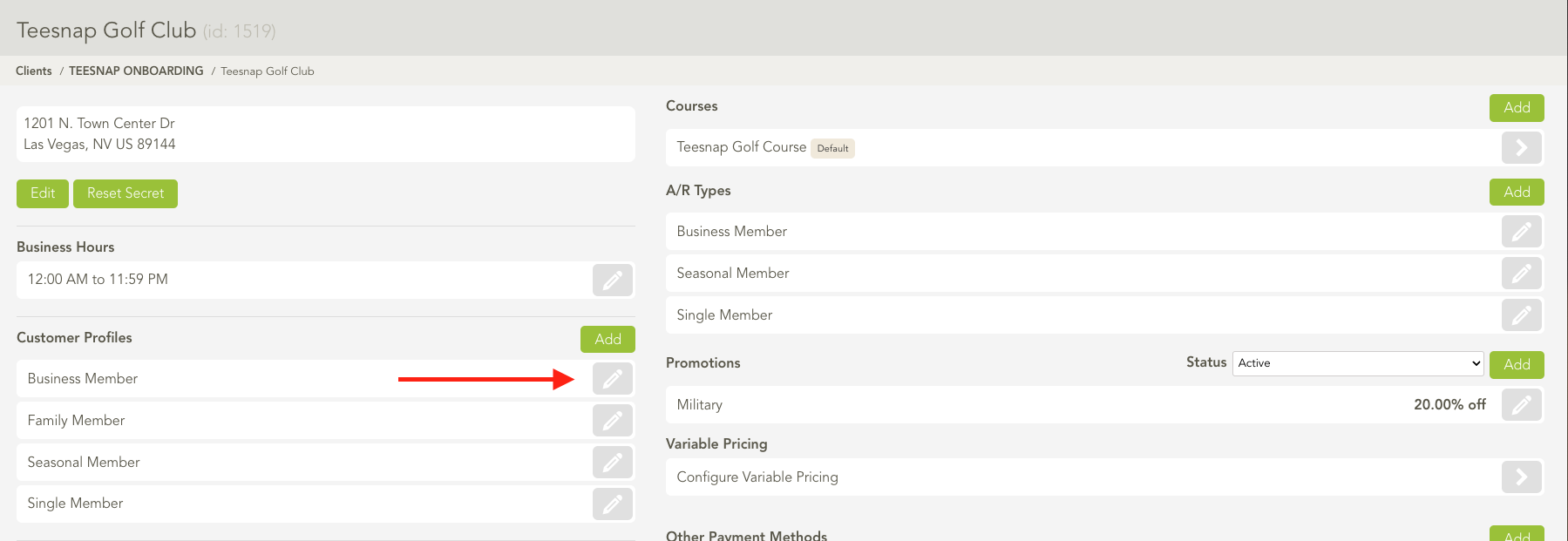
2. Select the Pencil Icon on the profile you would like to make a Member Profile.
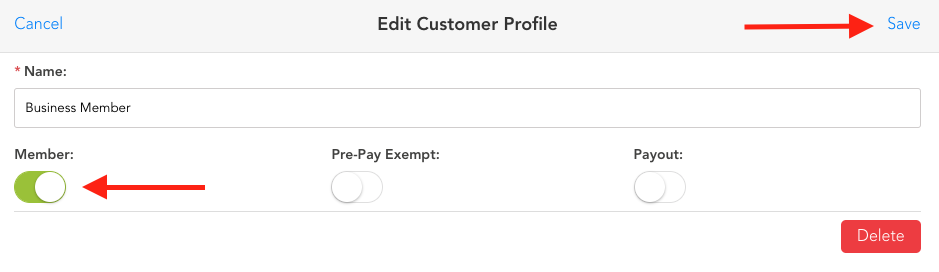
3. From the Edit Customer Profile screen toggle on Member. Once complete select Save.
If you have any questions, please do not hesitate to reach out to Teesnap Support by emailing us at support@teesnap.com or calling 844-458-1032