.png?width=240&height=55&name=Untitled%20design%20(86).png)
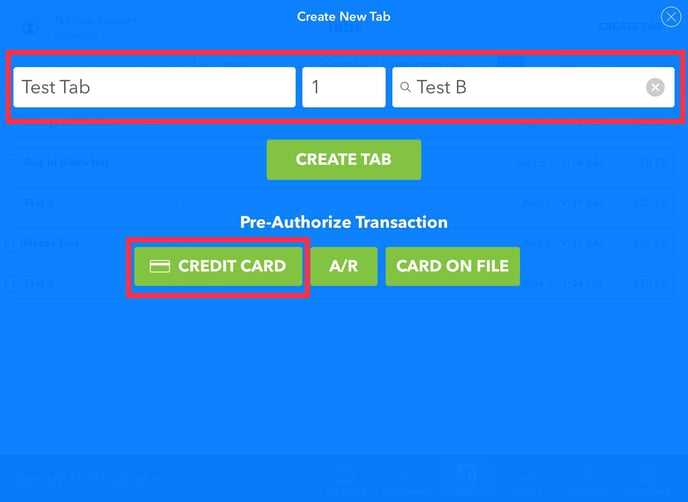
1. First you will need to create a new tab. Enter the tab name, number of covers, and customer name. To pre-authorize a credit card click on CREDIT CARD.
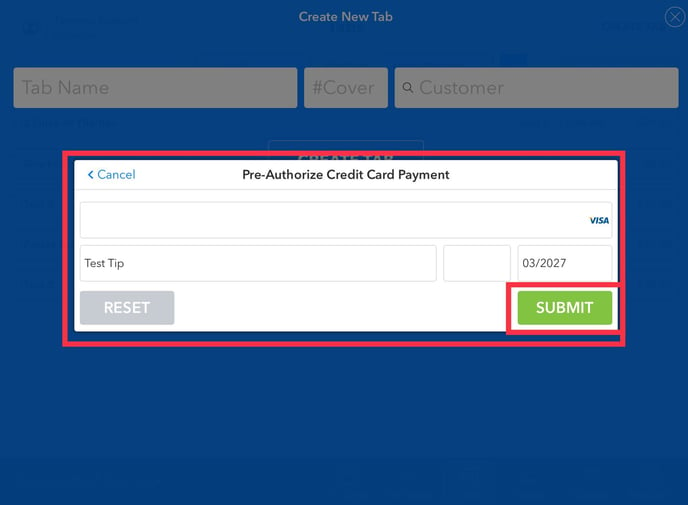
2. Here you will enter the credit card information. Name on the credit card, CVV, and expiration date. Click SUBMIT in the lower right-hand corner to proceed.
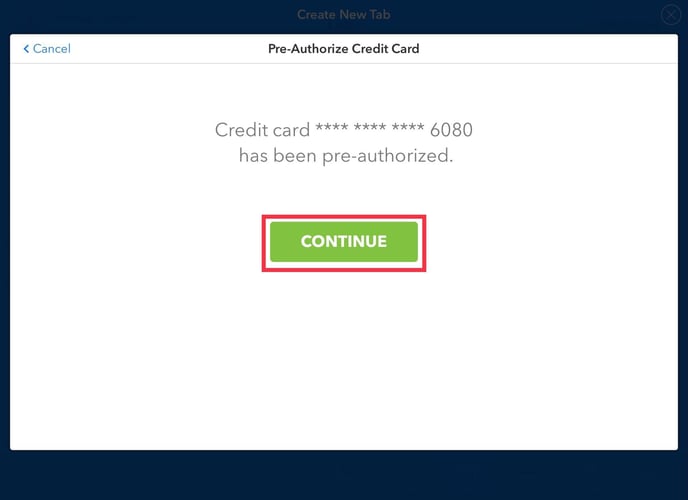
3. You will be prompted with a message that the credit card has been pre-authorized. Click the green CONTINUE button to add a product(s) to the tab.
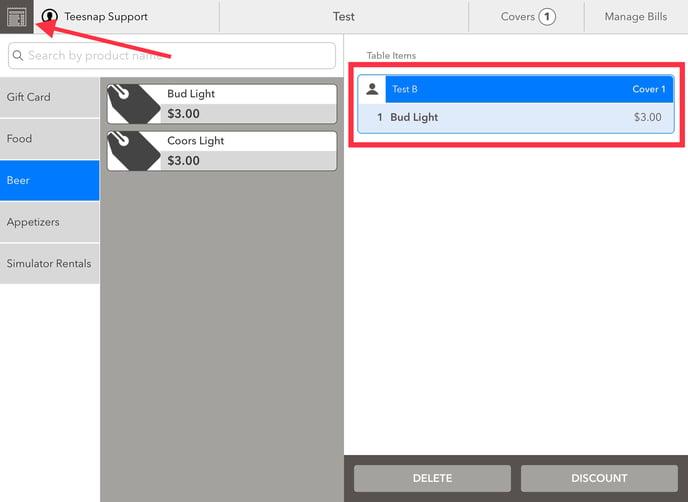
4. We added one Bud Light to the tab. To add tips to the pre-authorized transaction, click on the tabs icon in the top left-hand corner of the screen.
5. Click on the USER ICON on the top left, then select ENTER TIPS at the bottom of the user menu.
.jpg?width=688&name=IMG_0381%20(2).jpg)
6. Tap on Pre-Authorized Tabs

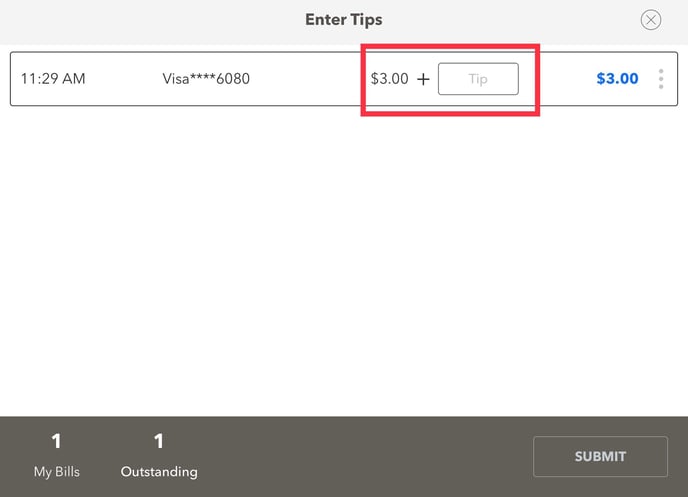
Here you will see the pre-authorized transaction for one Bud Light ($3). Simply input your tip amount into the tip box.
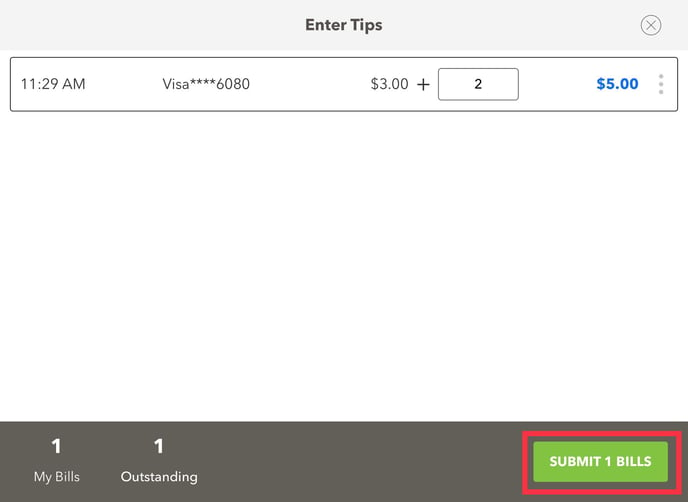
7. We entered a $2 tip. You will see the transaction total of $5 listed on the right-hand portion of the screen. To complete this transaction click SUBMIT 1 BILLS in the lower right corner of the screen. Repeat these steps to enter tips on a pre-authorized transaction.
If you have any questions, please do not hesitate to reach out to Teesnap Support by emailing us at support@teesnap.com or calling 844-458-1032