.png?width=240&height=55&name=Untitled%20design%20(86).png)
This article will explain how to find a current/active customer.
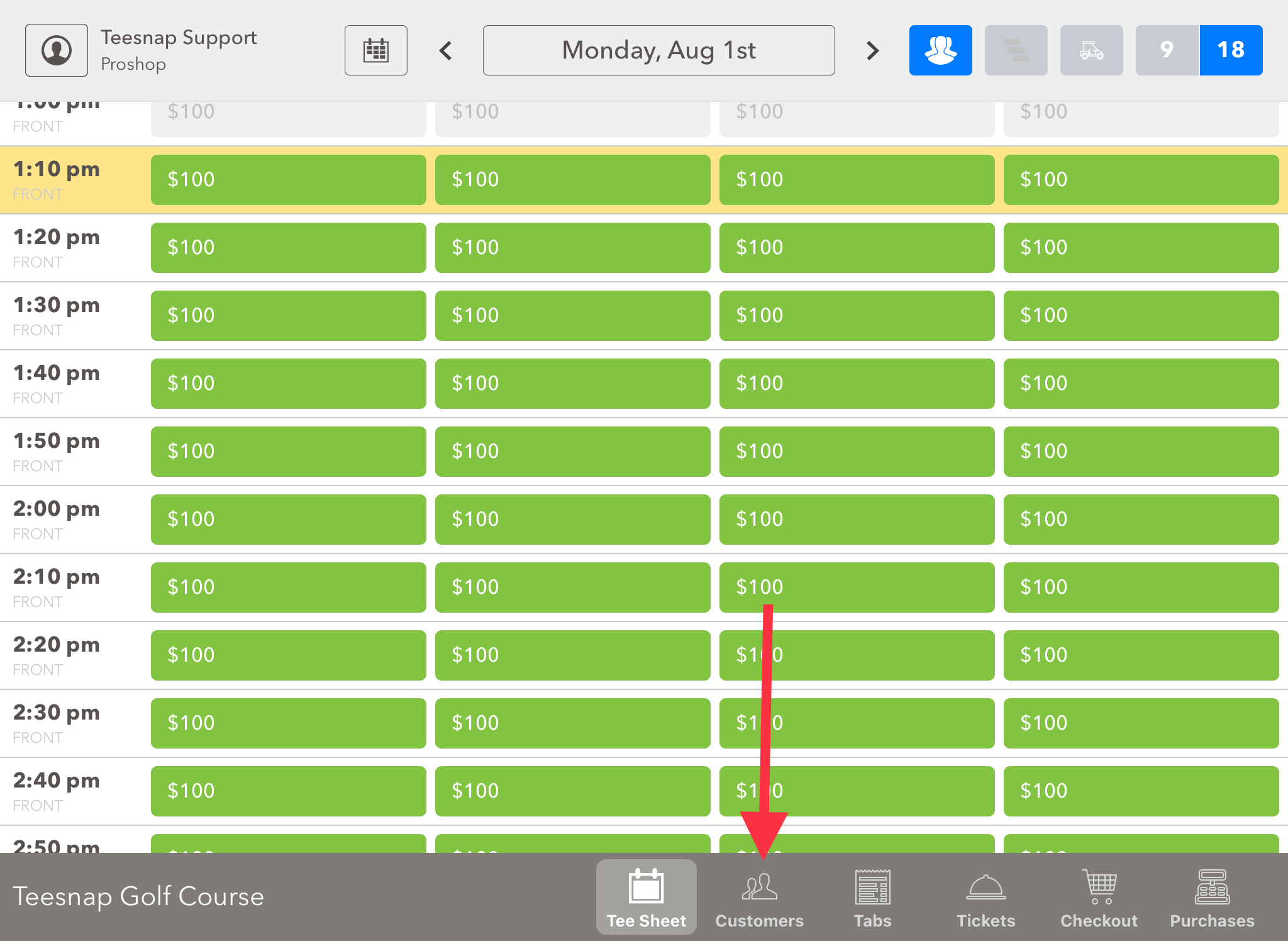
1. From the tee sheet select the Customers Tab at the bottom of the screen.
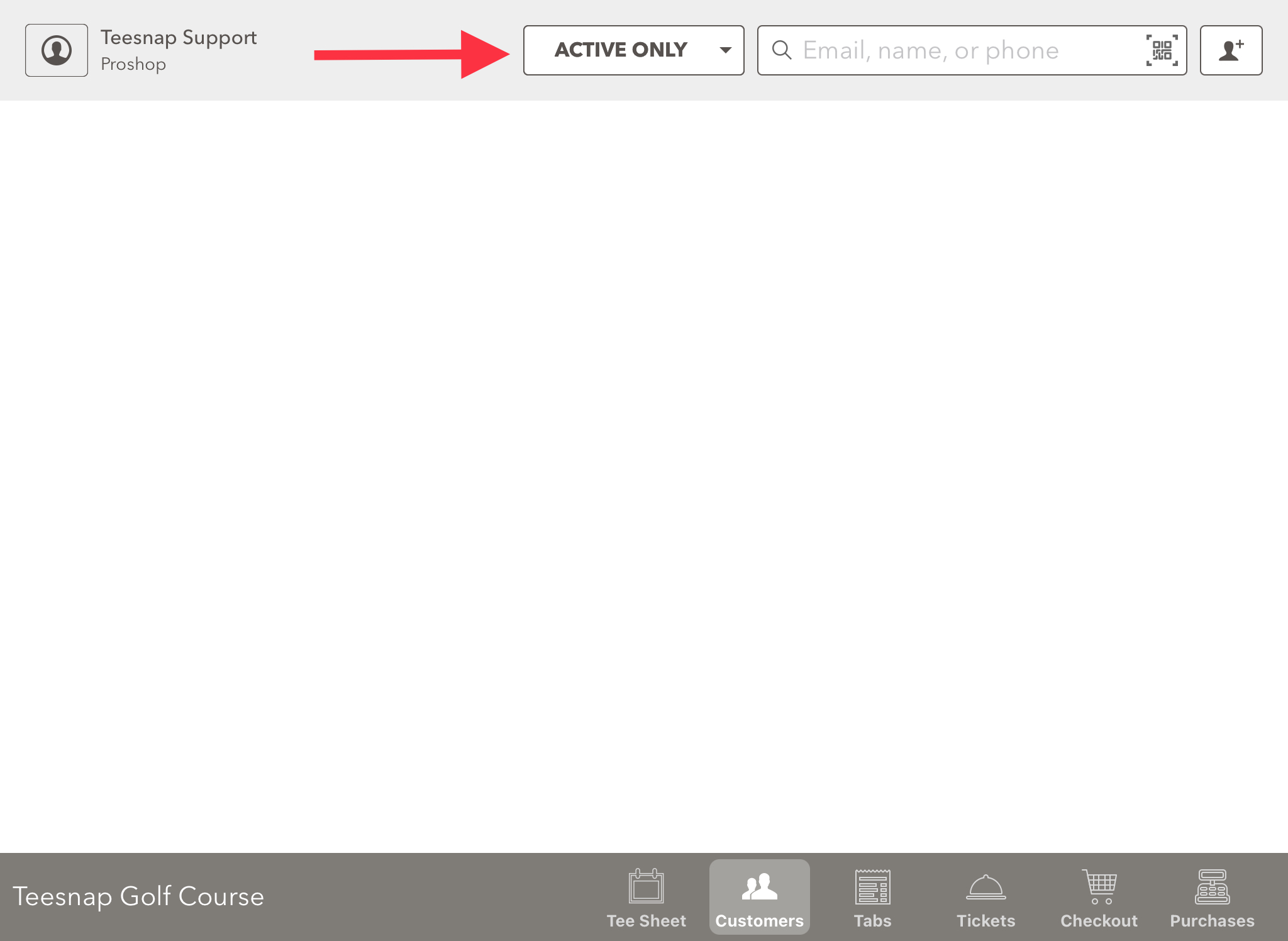
2. Current/active customers with be searched by using the "Active only" filter. Type in a customer name to start your search.
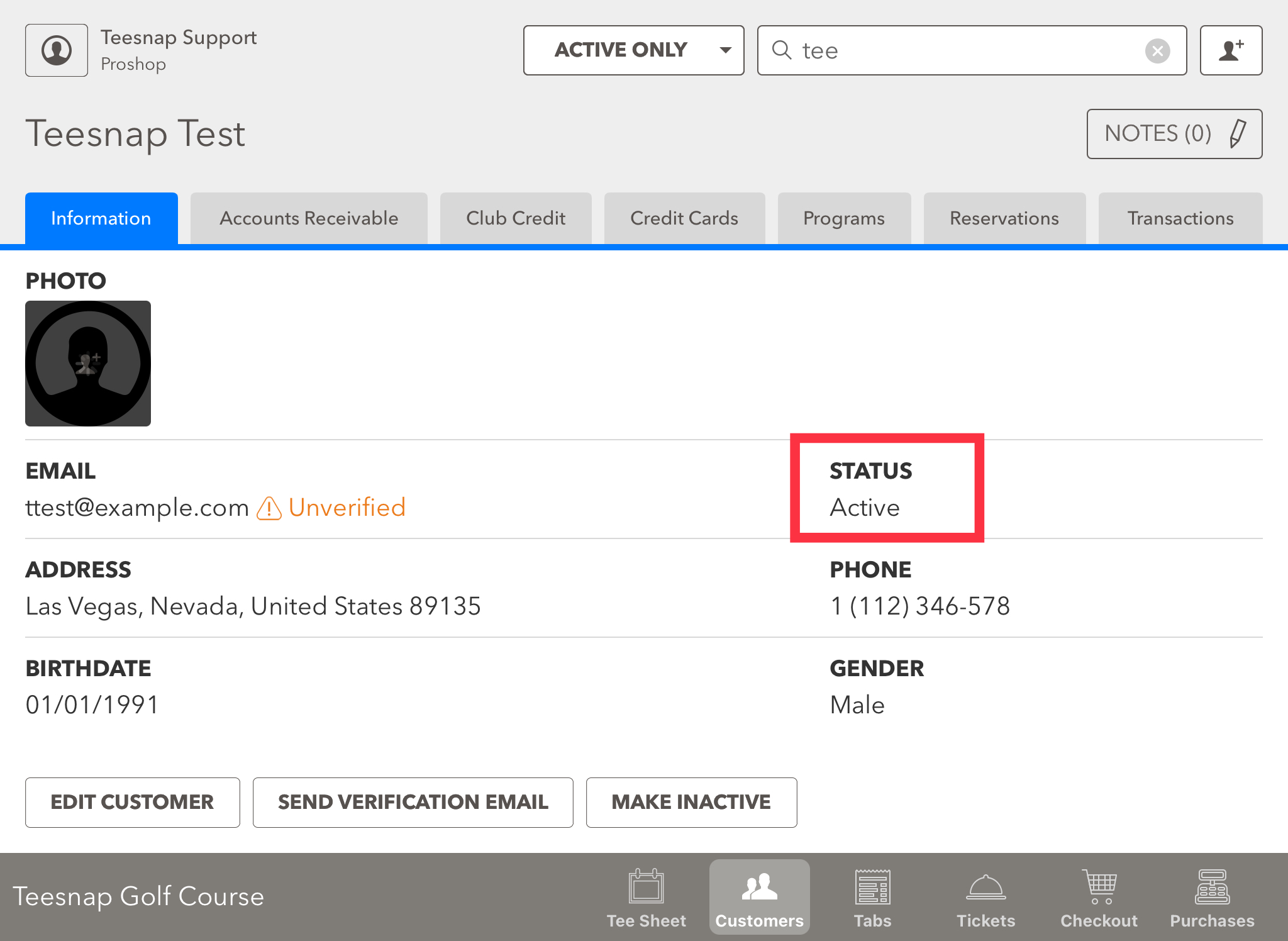
3. You can validate the customer search by locating the status on the right-hand side. You can see our test customer is ACTIVE.
If you have any questions, please do not hesitate to reach out to Teesnap Support by emailing us at support@teesnap.com or calling 844-458-1032