.png?width=240&height=55&name=Untitled%20design%20(86).png)
*To see the full 5.38.0 release video, click here.
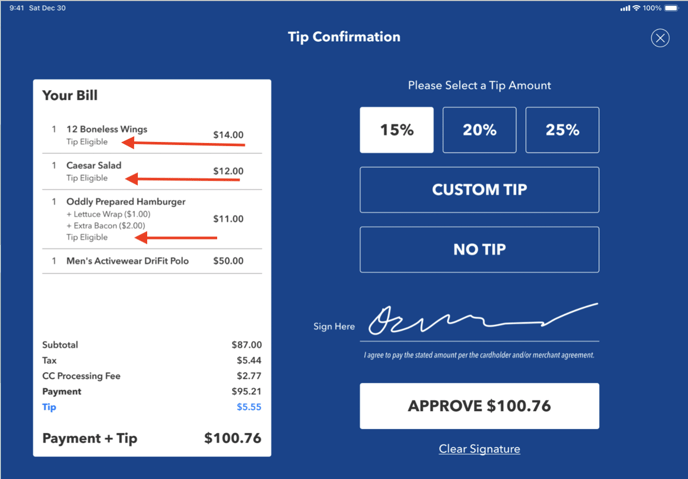
Tip-eligibility allows you to designate which Products will be included in the automated tip calculations on the iPad and the printed bill.
The example below shows a transaction containing both tip-eligible and non-tip-eligible Products. The automated tip calculation includes only those Products flagged as tip-eligible.
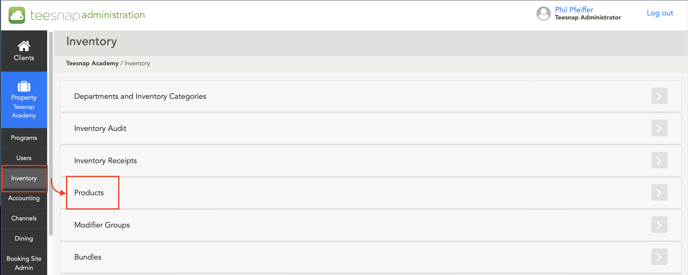
To designate a Product as tip-eligible, log on to the Teesnap Admin Portal
Go to Inventory, then Products
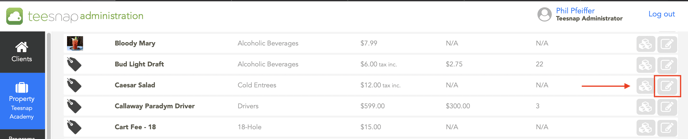
In the list of products, select the desired product and click the Edit button (pencil icon) to edit it.
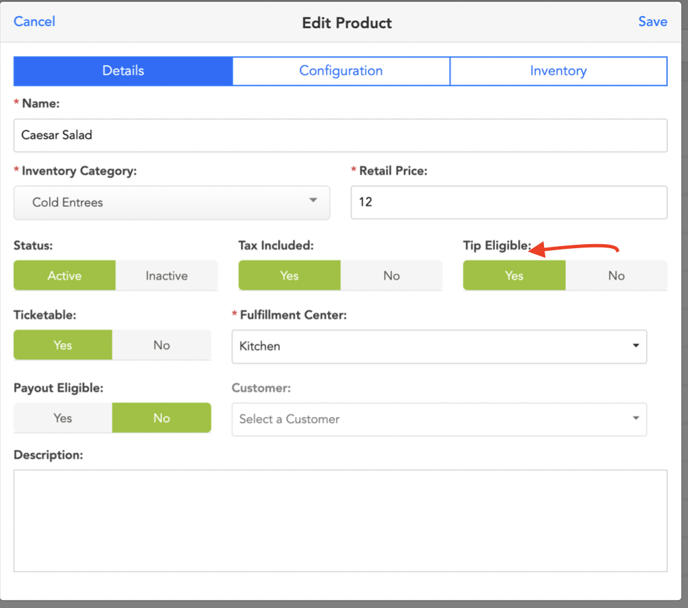
On the Details tab, change the Tip Eligible flag to Yes
To make bulk inventory edits, check out this article.
If you have any questions, please do not hesitate to reach out to Teesnap Support by emailing us at support@teesnap.com or calling 844-458-1032.