.png?width=240&height=55&name=Untitled%20design%20(86).png)
Step 1: Navigate to Inventory in Teesnap Admin

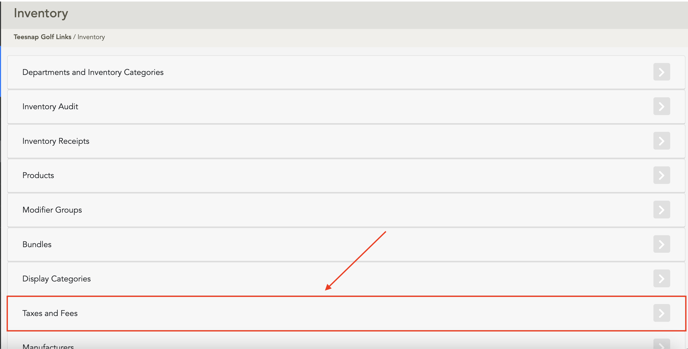
Step 2: Click on Taxes & Fees
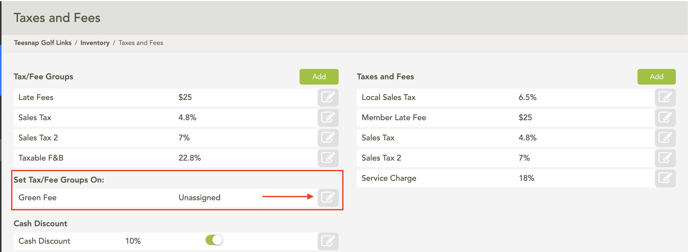
Step 3: Click the Edit Button on the Green Fees row underneath Set Tax/Fee Groups on:
Step 4: Toggle Tip Eligible to Yes
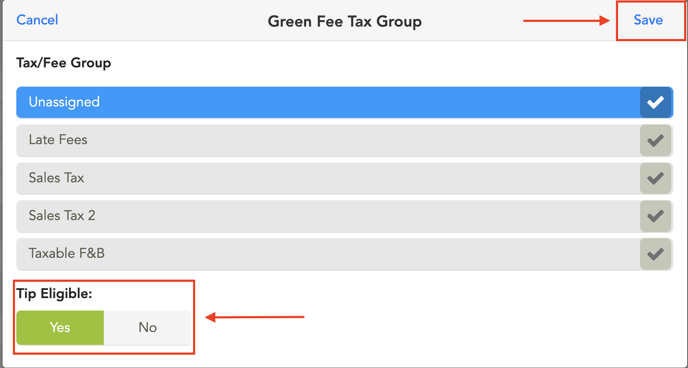
Step 5: Click Save
If you have any questions, please do not hesitate to reach out to Teesnap Support by emailing us at support@teesnap.com or calling 844-458-1032