.png?width=240&height=55&name=Untitled%20design%20(86).png)
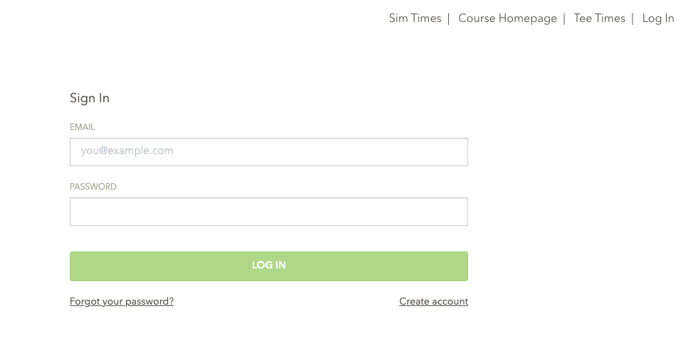
1. Log in to the online booking engine. (Where you would go to make a tee time).
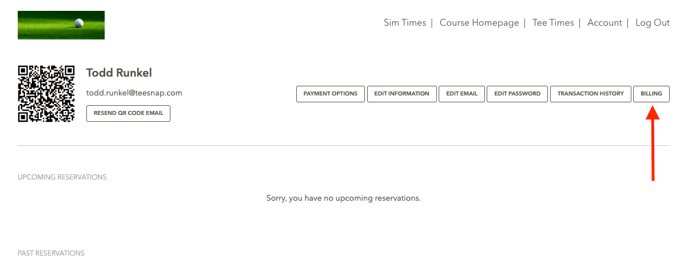
2. Once logged in, click on Account and navigate to the Billing tab.
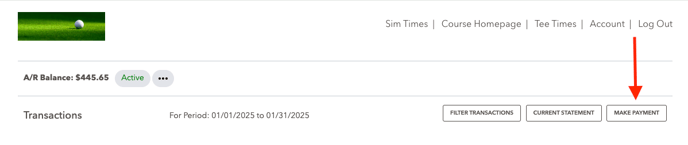
3. To make a payment, select Make Payment.
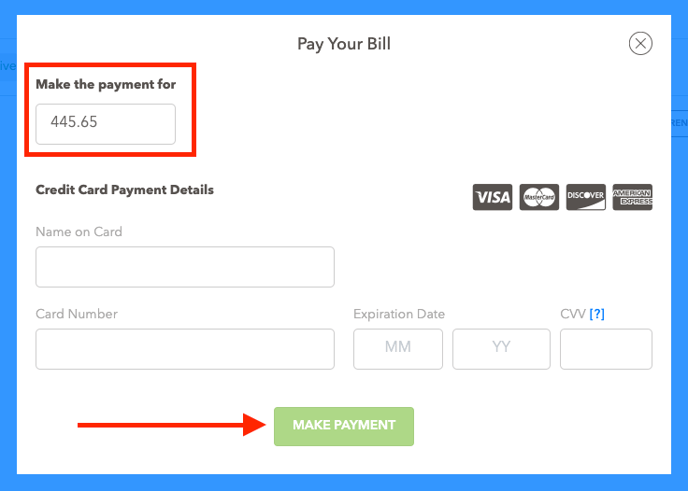
4. Enter the amount of the payment and your card details. Then select Make Payment.
If you have any questions, please do not hesitate to reach out to Teesnap Support by emailing us at support@teesnap.com or calling 844-458-1032