.png?width=240&height=55&name=Untitled%20design%20(86).png)
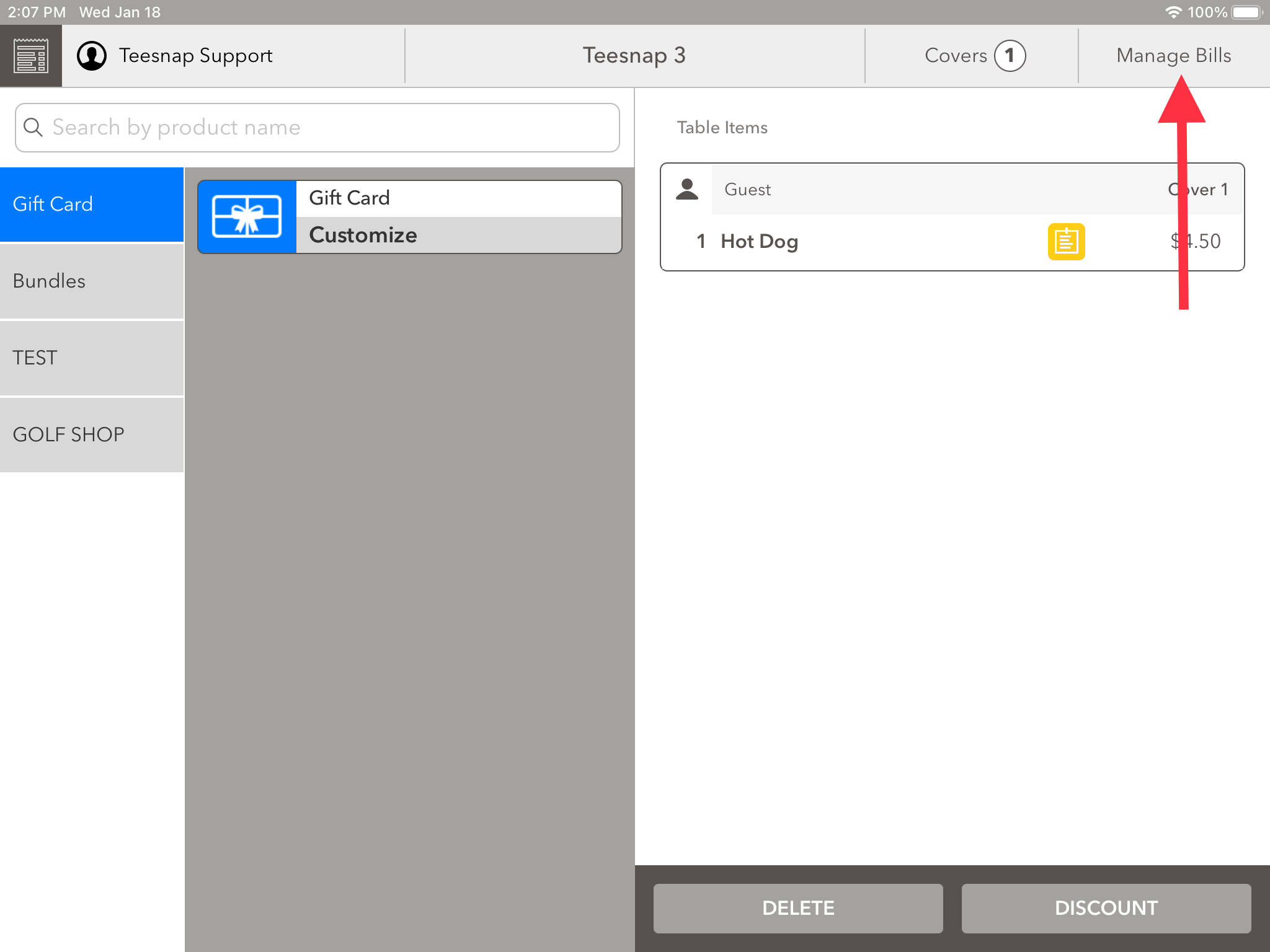
1. Click on manage bills in the top right corner of the screen.
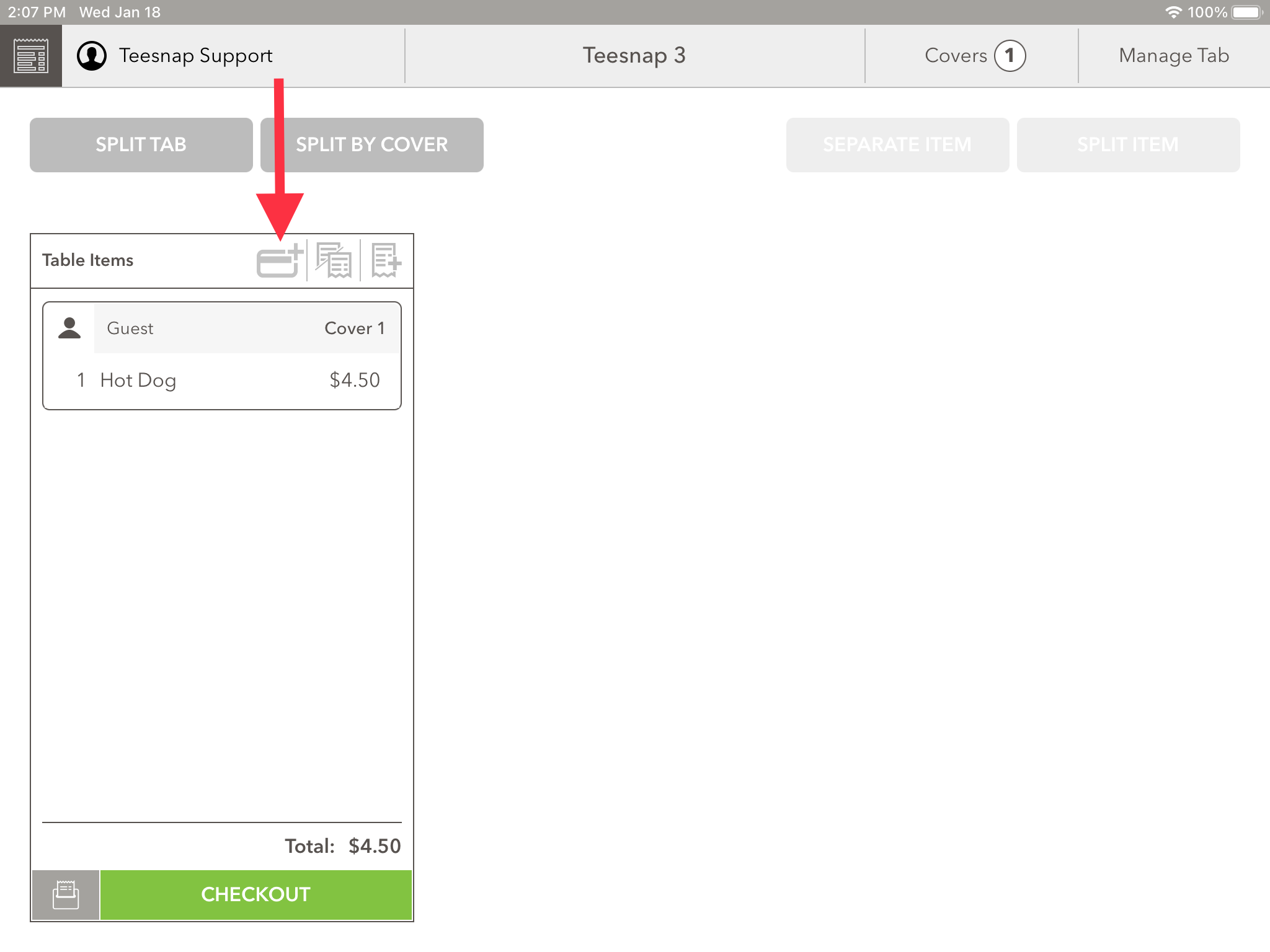
2. To pre-authorize this tab click on the credit card icon with the "+" attached to it.
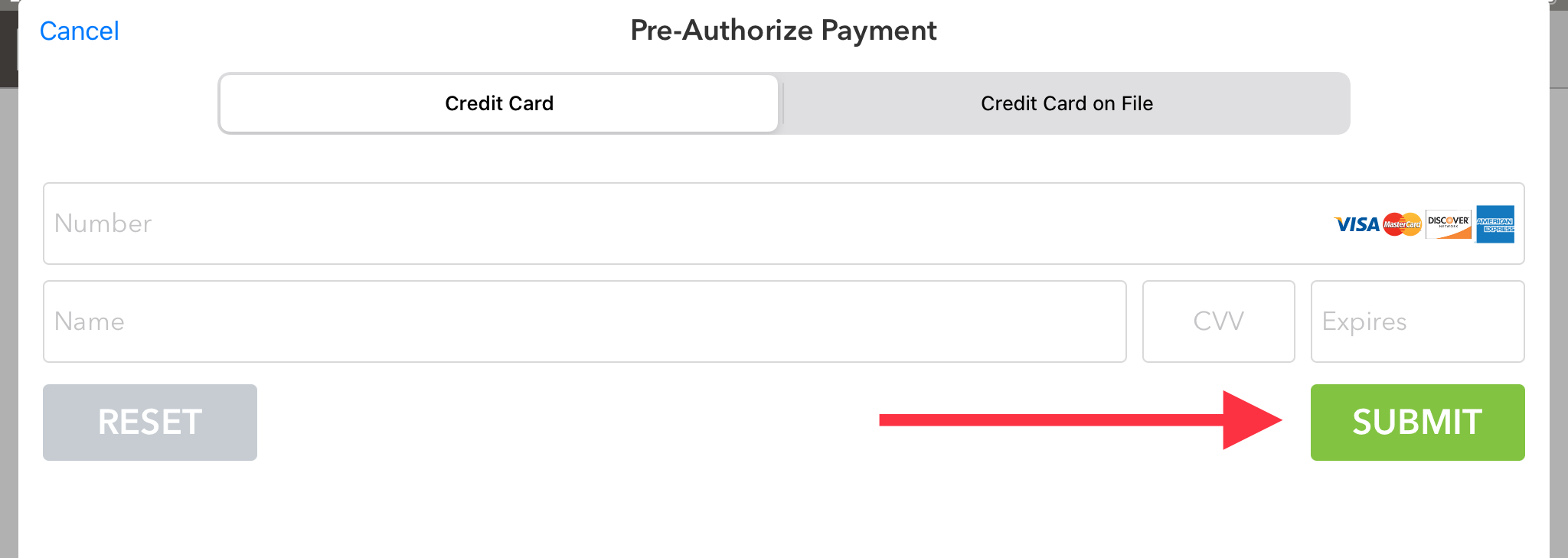
3. Now you can enter a customer's credit card information to pre-authorize the tab. Be sure to click SUBMIT before proceeding. Repeat these steps to pre-authorize a floating tab.
If you have any questions, please do not hesitate to reach out to Teesnap Support by emailing us at support@teesnap.com or calling 844-458-1032.