.png?width=240&height=55&name=Untitled%20design%20(86).png)
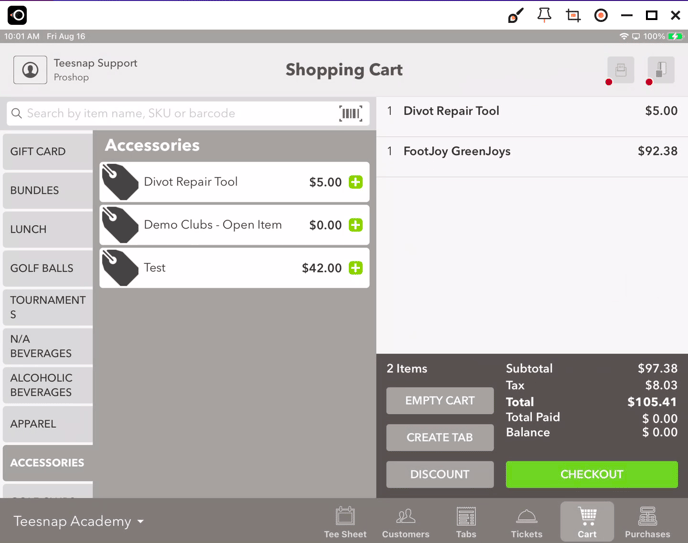
1. First, select the products the customer will be purchasing in the shopping cart. When you're finished, select the Checkout button.
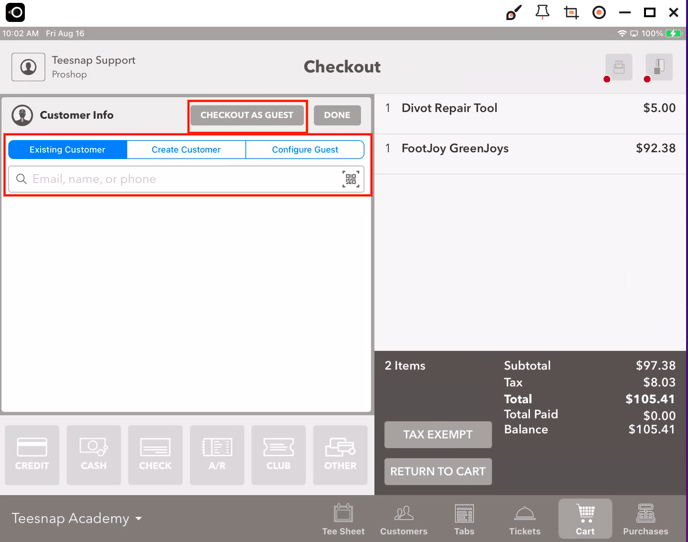
2. From the Checkout screen, use the search bar to find an Existing Customer or select Checkout as Guest.
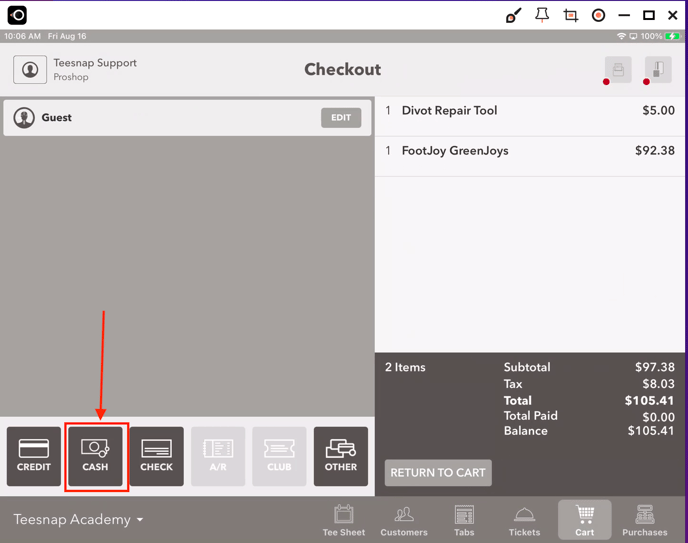
3. Once a customer has been selected, the options for the different methods of payment become available. In this case select Cash.
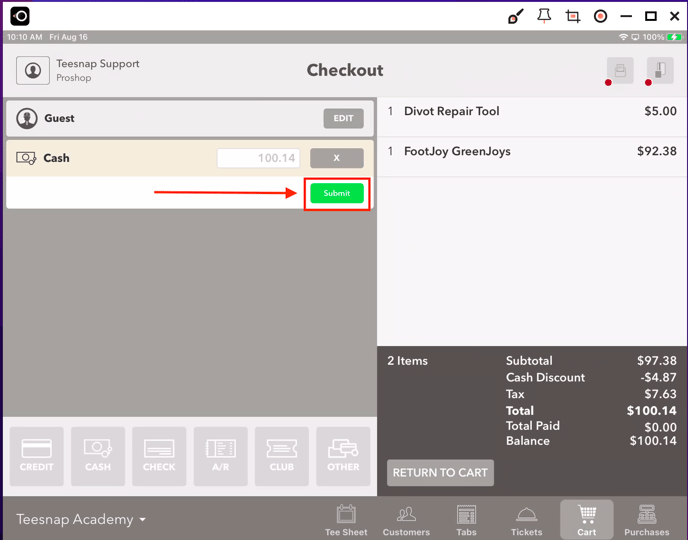
4. By default, the full amount of the transaction is filled into the Cash tender window. To tender the entire transaction to Cash, select SUBMIT. To get the system to calculate change due, add the amount given by the customer into the field.
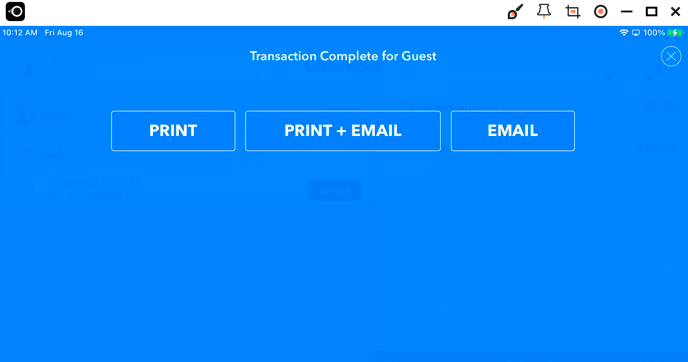
5. The transaction is now complete. Select a receipt delivery option or select the "X" at the top right corner to skip the receipt and exit the screen..
If you have any questions, please do not hesitate to reach out to Teesnap Support by emailing us at support@teesnap.com or calling 844-458-1032.