.png?width=240&height=55&name=Untitled%20design%20(86).png)
1. First, select the products the customer will purchase in the shopping cart. When you're finished, select the Checkout button.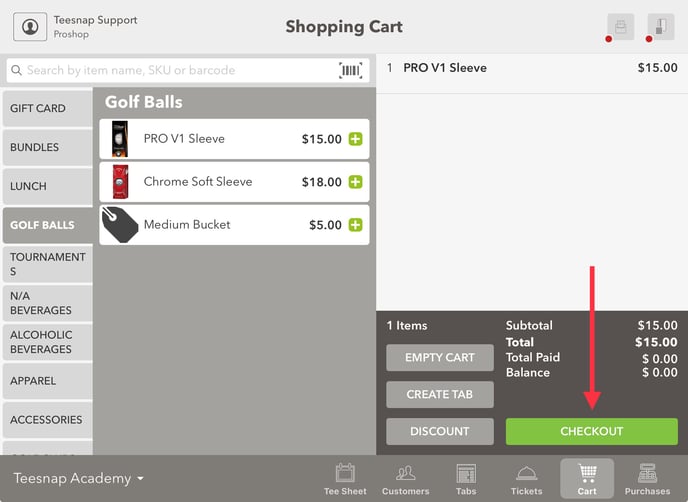
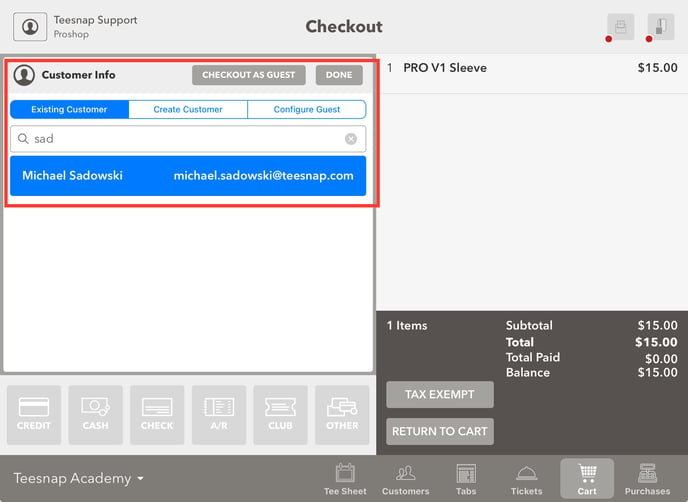
2. From the Checkout screen, use the search bar to find an Existing Customer or select Checkout as Guest.
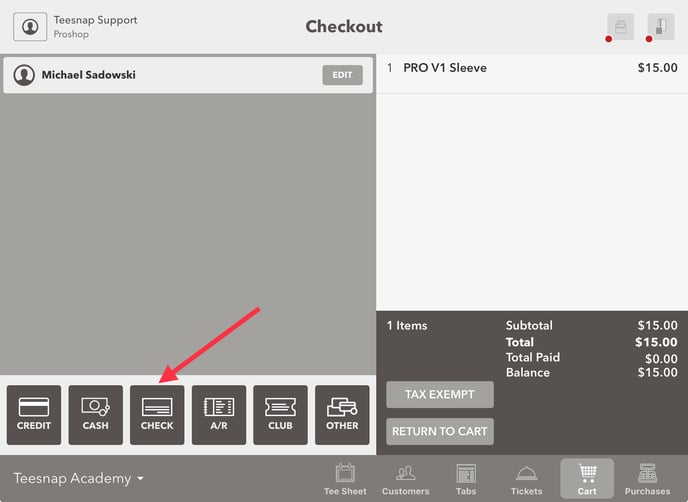
 3. Once you've added a customer to the transaction, click check as the tender type at the bottom of the screen.
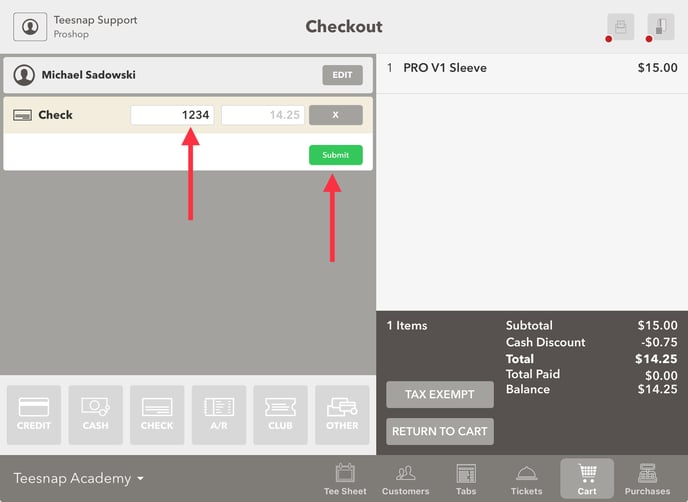
 4. Enter the check number (in our case 1234) then click the green SUBMIT button.
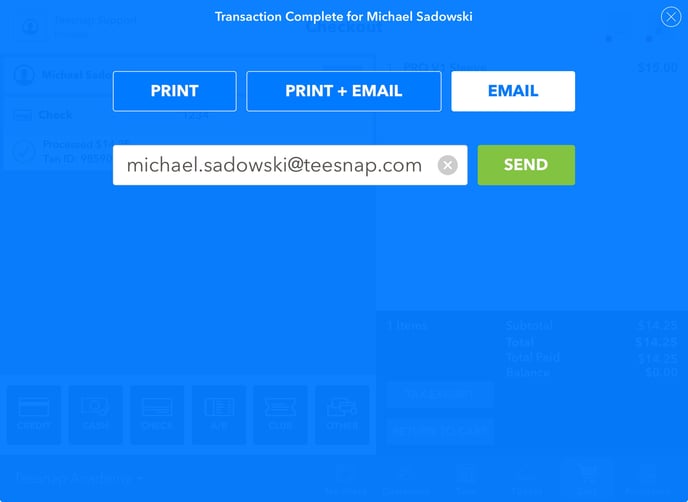
 4. The transaction is complete; you can Print and/or Email a customer receipt.
If you have any questions, please do not hesitate to reach out to Teesnap Support by emailing us at support@teesnap.com or calling 844-458-1032