.png?width=240&height=55&name=Untitled%20design%20(86).png)
Tip Flow 1: Checkout
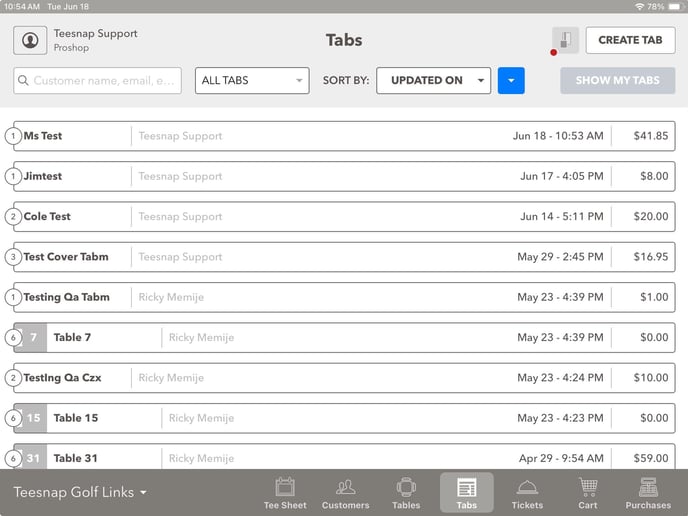
Flow 2: Tabs - Choose the tab ready for payment and closing out.
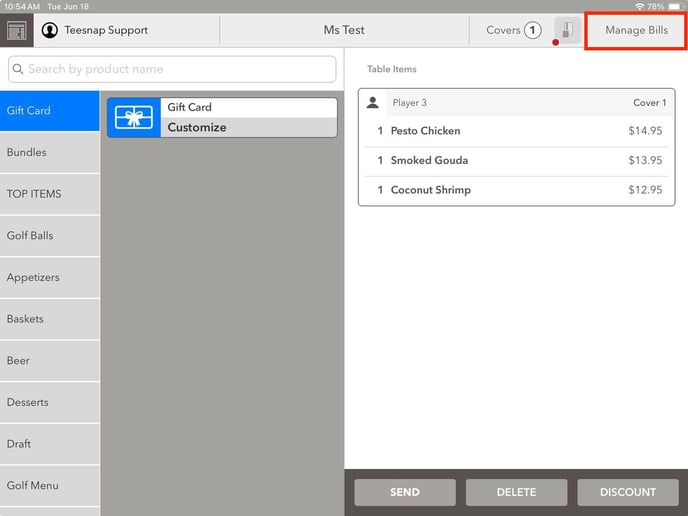
2. Click on the Manage Bills option in the top right corner of the screen.
3. Choose the Checkout option.
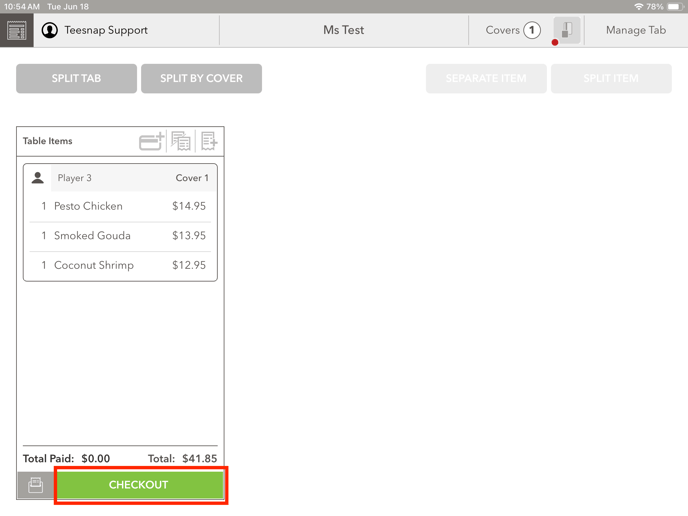
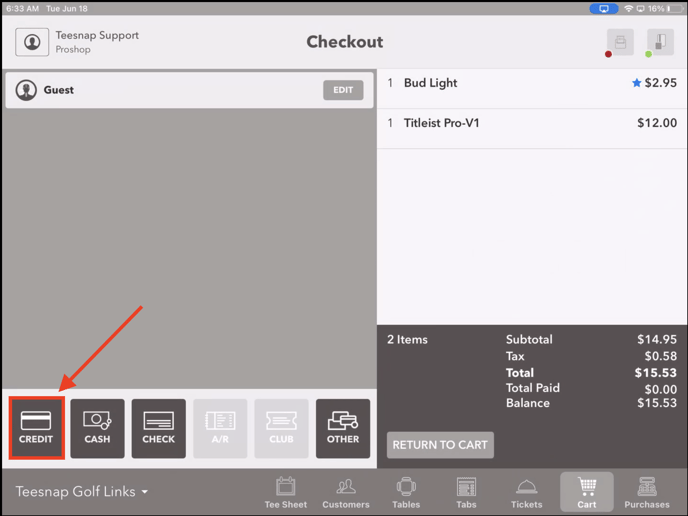
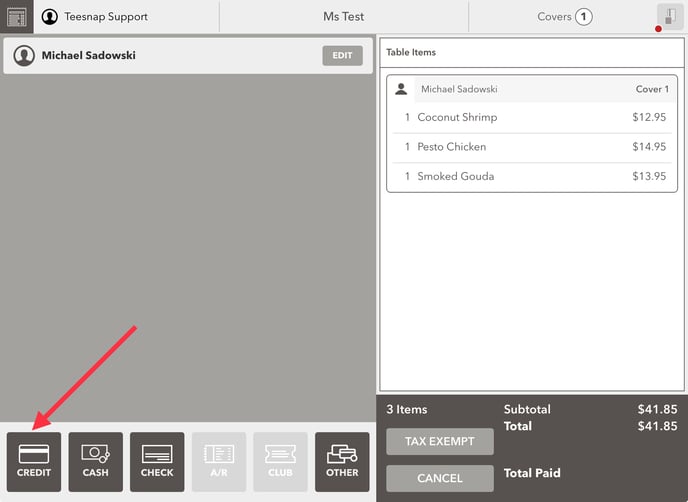
4. To process a payment with a Credit Card, choose the Credit option.
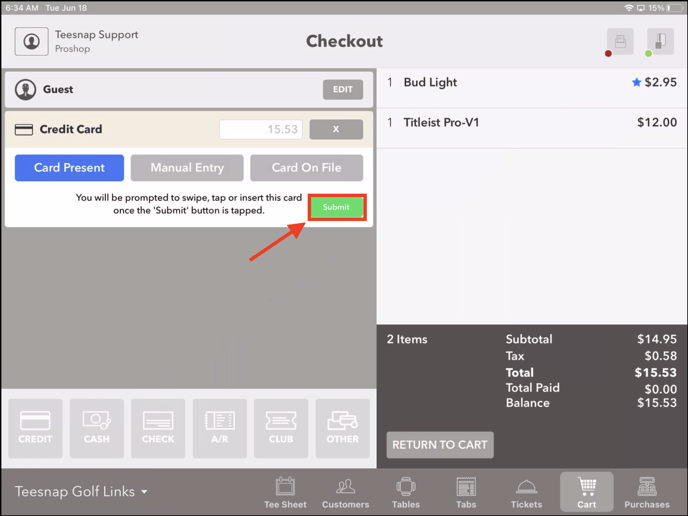
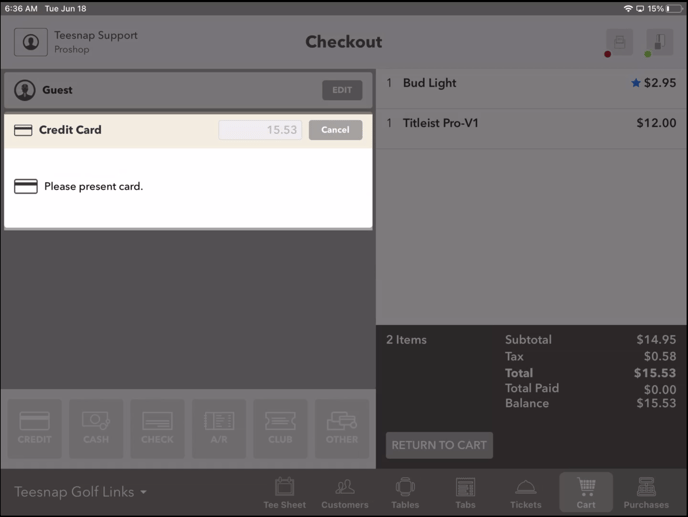
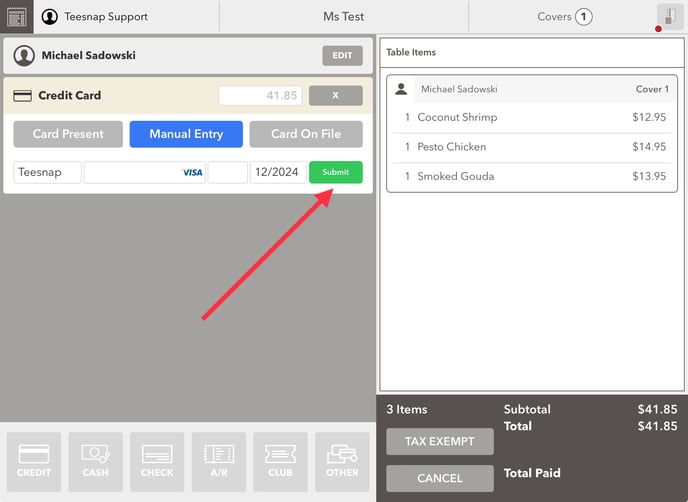
5. Click Submit, then tap, Insert, or Swipe the credit card for payment processing.
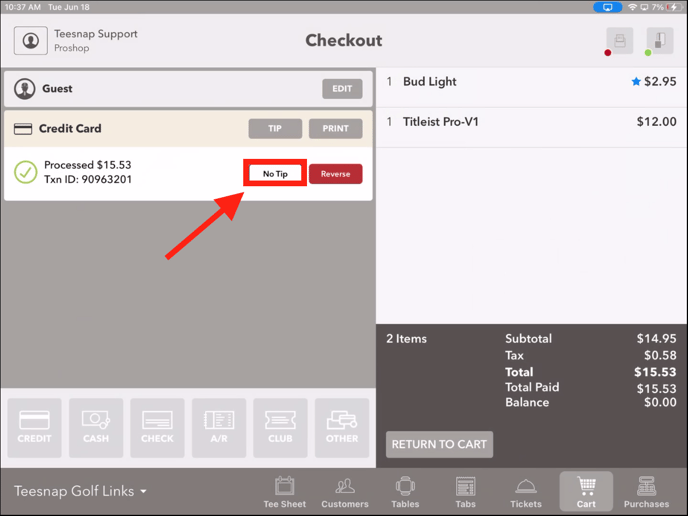
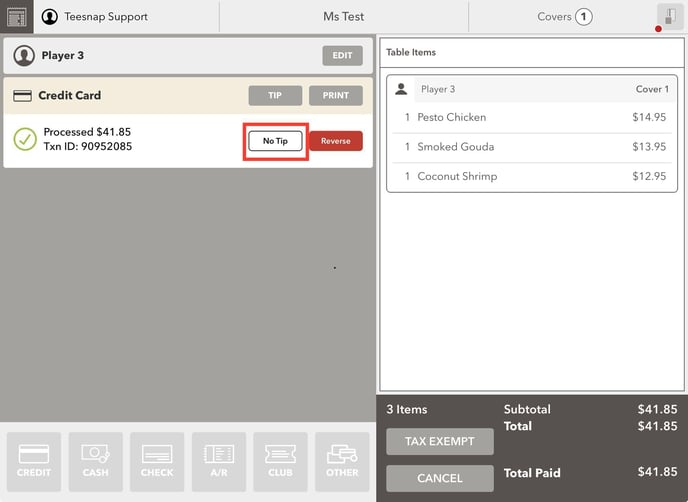
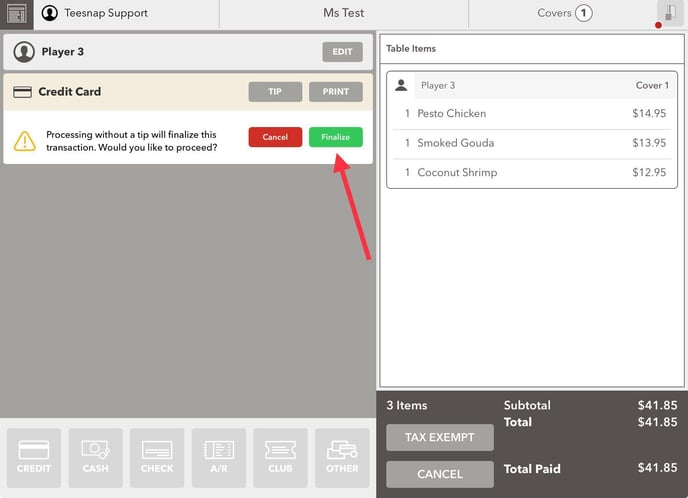
6. If you prefer not to offer a tip option to the customer, select the "No Tip" option.
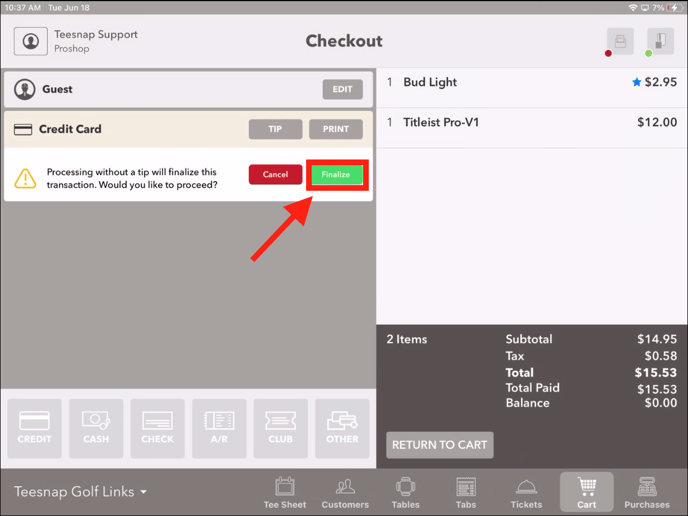
5. Choose the Finalize option if you prefer to complete the transaction.
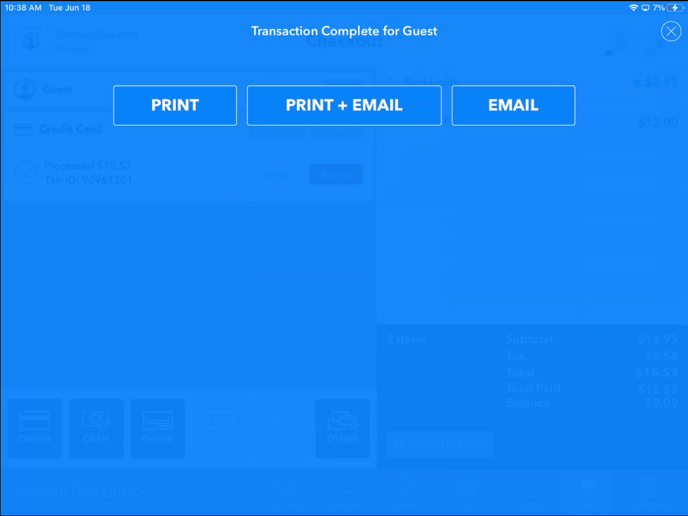
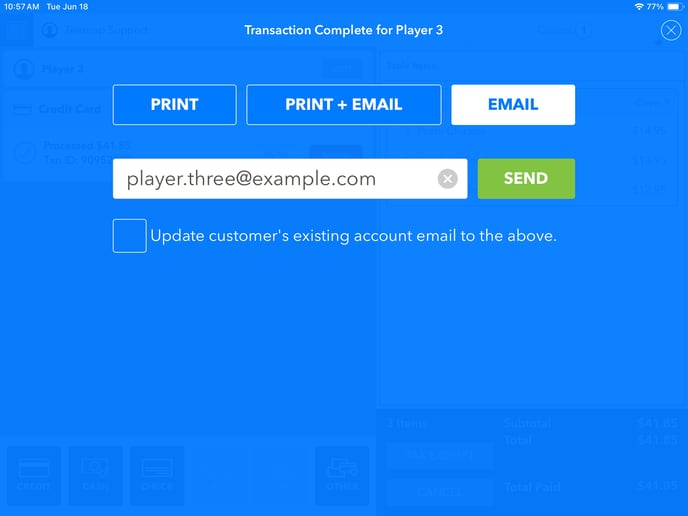
6. After finalizing the transaction, you can choose between selecting the customer receipt method or clicking "X" in the top right corner to provide no receipt.
If you have any questions, please do not hesitate to contact Teesnap Support by emailing us at support@teesnap.com or calling 844-458-1032.