.png?width=240&height=55&name=Untitled%20design%20(86).png)
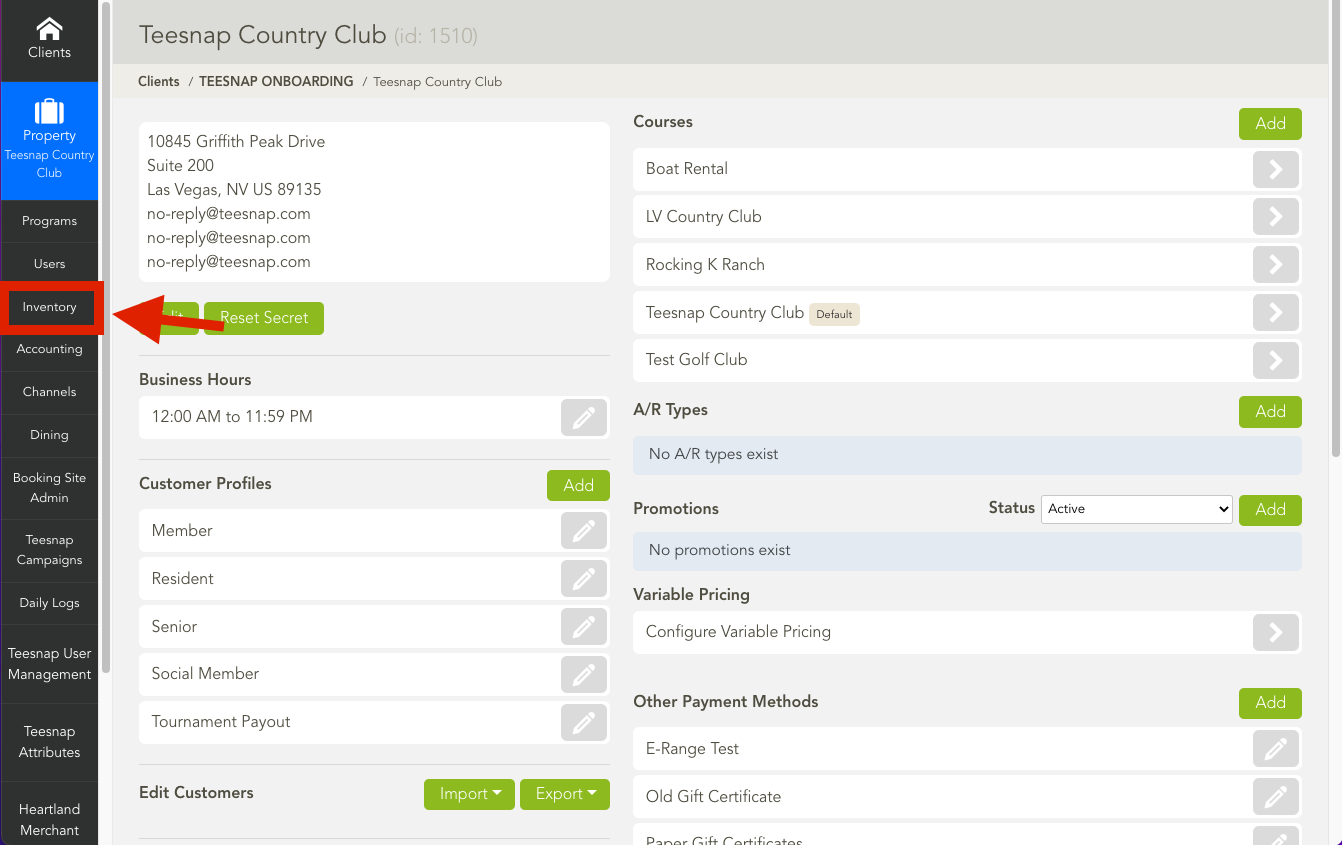
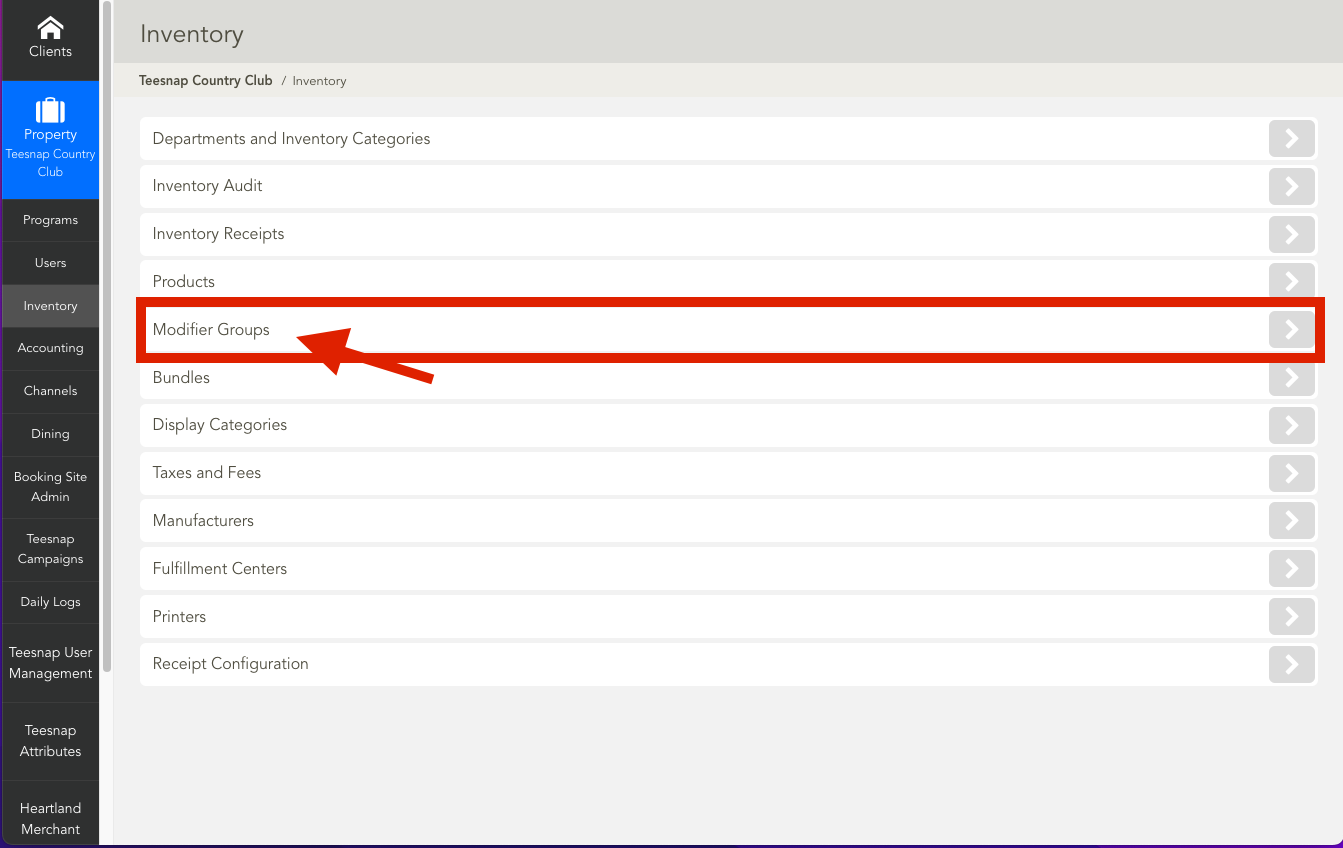
1. From the Admin Portal, select Inventory and then Modifier Groups.
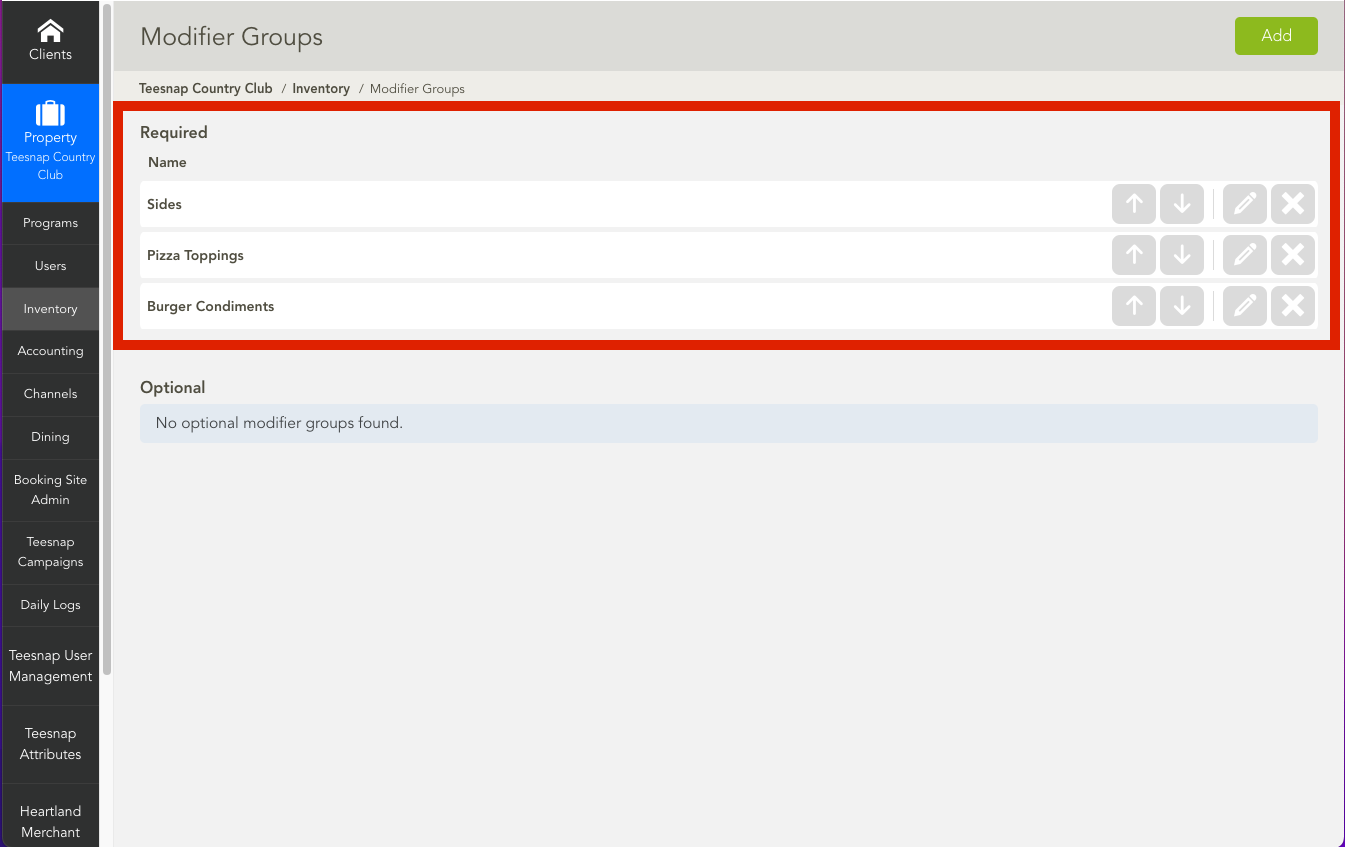
2. Click on the pencil icon next to the Modifier Group you wish to edit.
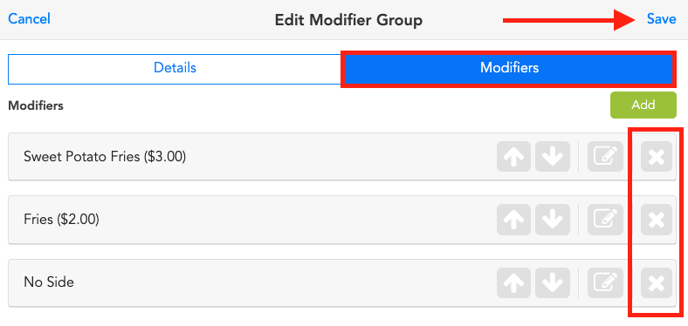
3. Navigate to the Modifiers Tab, locate the modifier you wish to remove, and simply click on the X icon. Don't forget to save your changes by clicking on the Save button at the top of the page.
If you have any questions, please do not hesitate to reach out to Teesnap Support by emailing us at support@teesnap.com or calling 844-458-1032