.png?width=240&height=55&name=Untitled%20design%20(86).png)
This article will explain how to reorganize modifier groups within the admin portal.
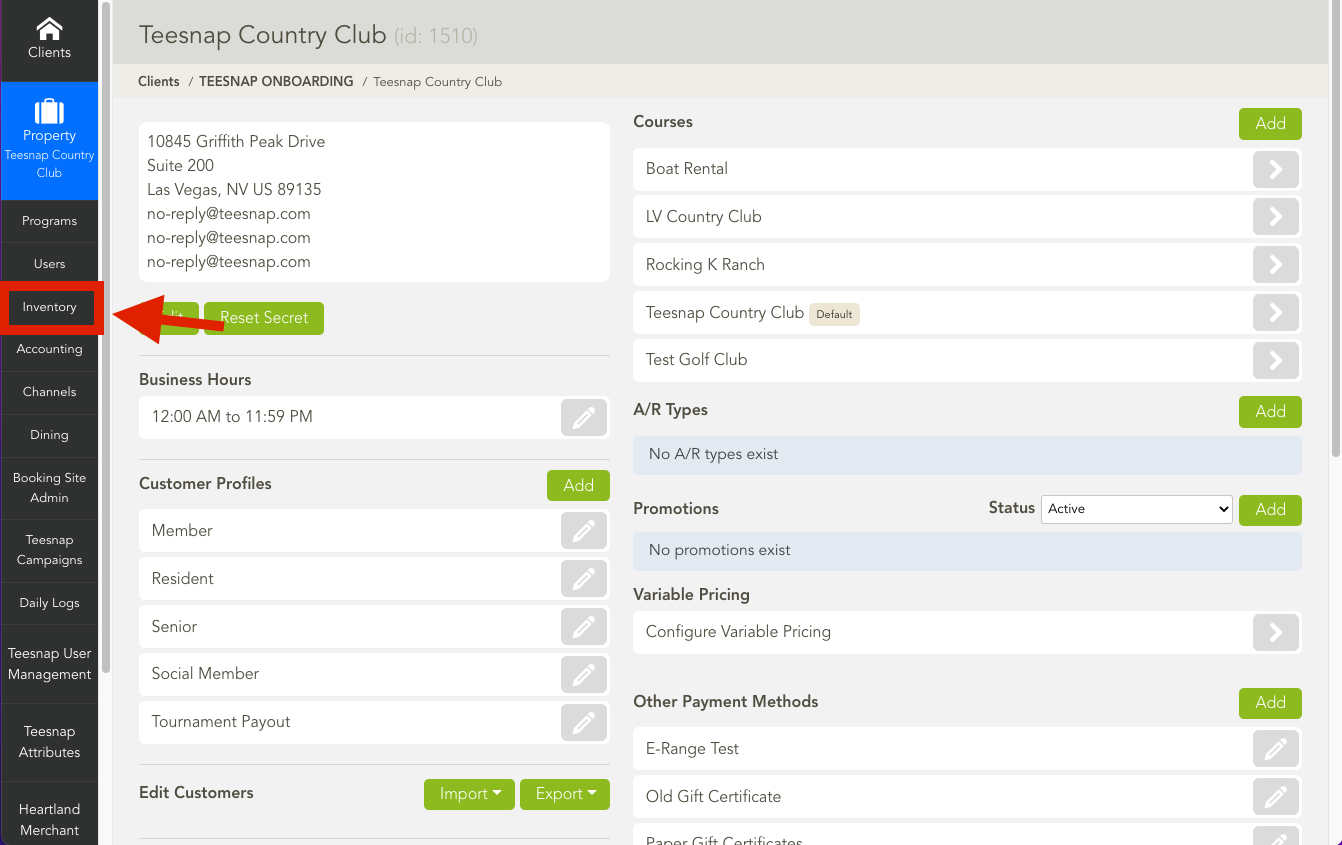
1. In the admin portal click inventory on the left-hand side of the screen.
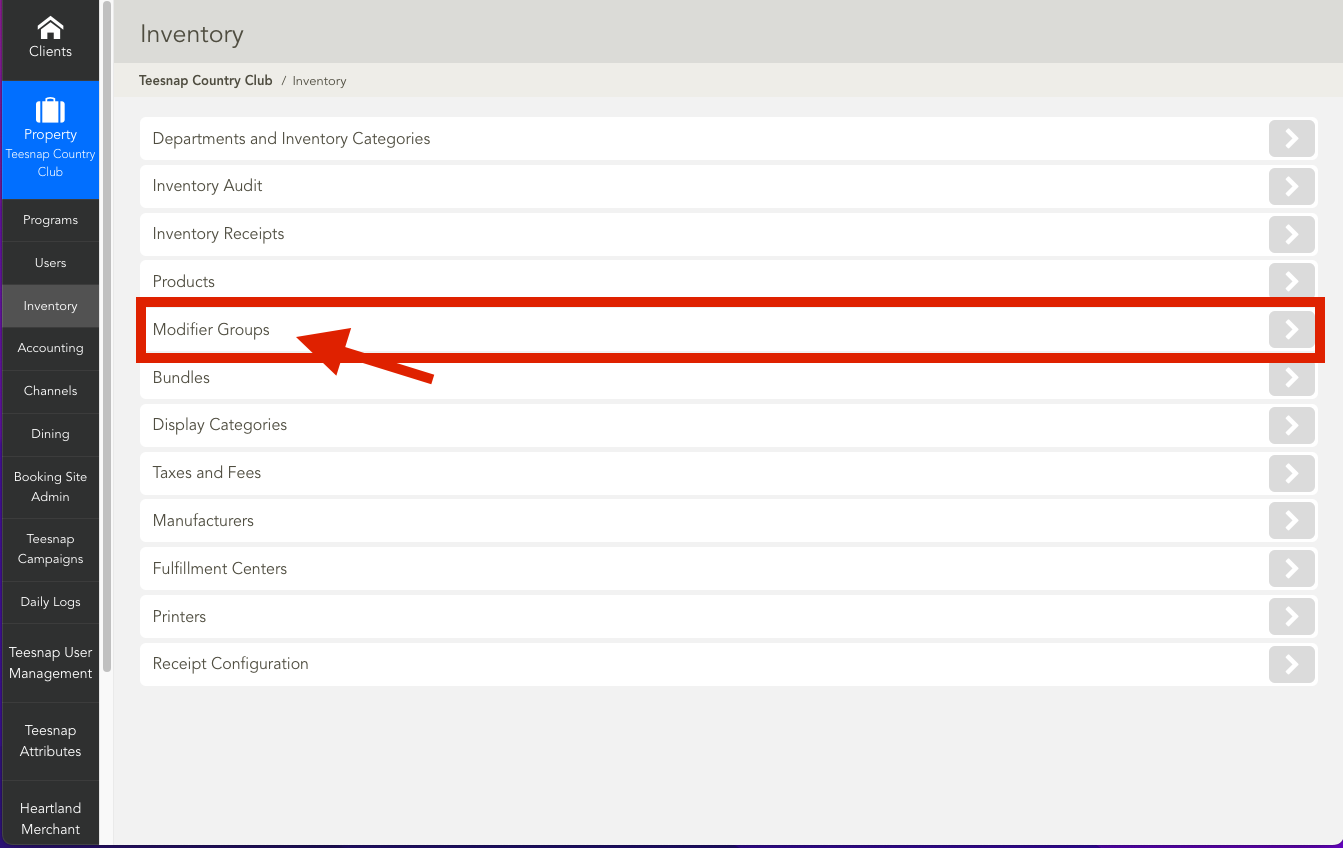
2. In the inventory list click on modifier groups.
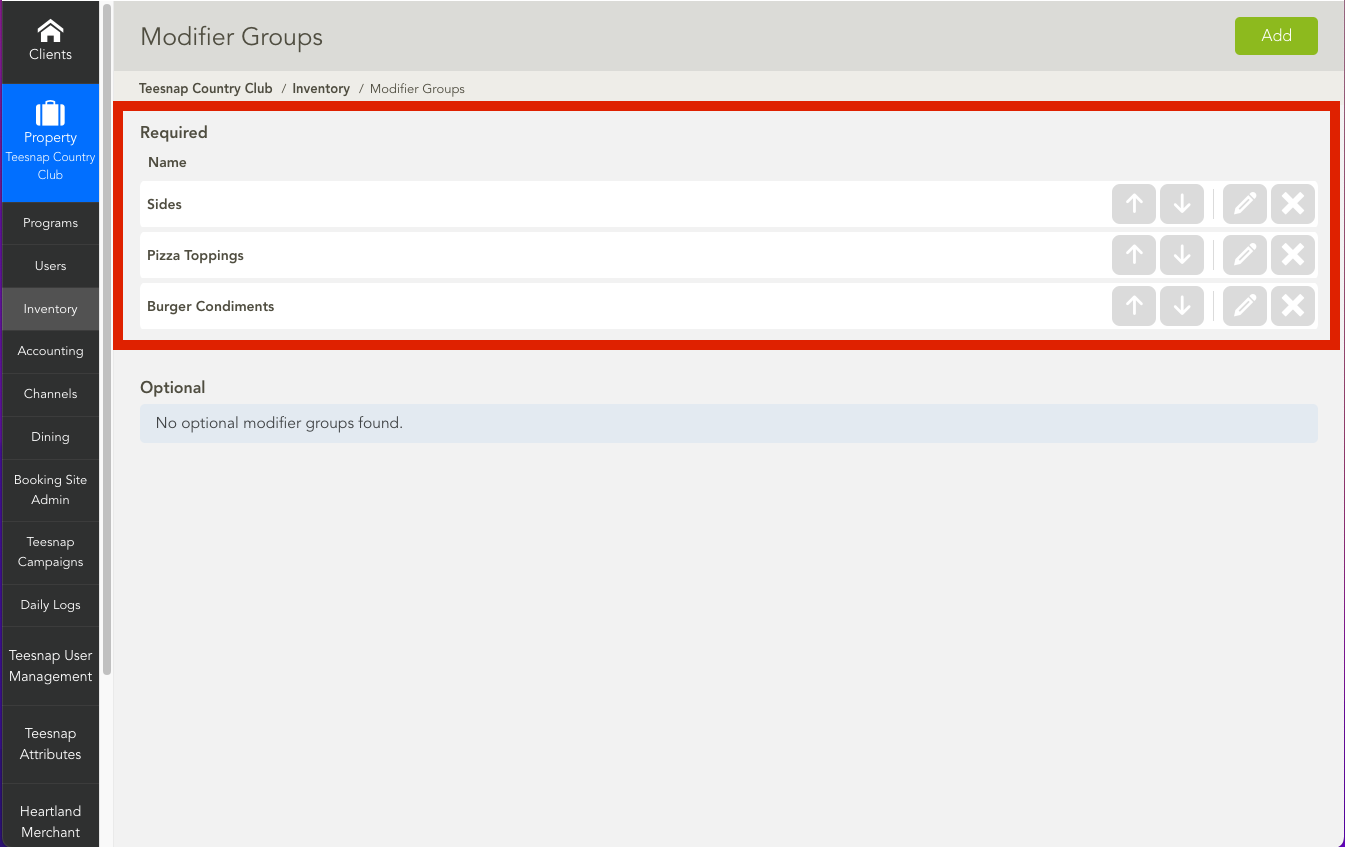
3. Use the arrows in the red box to move modifier groups up or down.
If you have any questions, please do not hesitate to reach out to Teesnap Support by emailing us at support@teesnap.com or calling 844-458-1032.