.png?width=240&height=55&name=Untitled%20design%20(86).png)
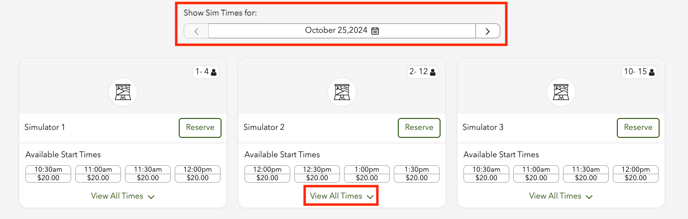
1. Select the day of the week and view all available times.
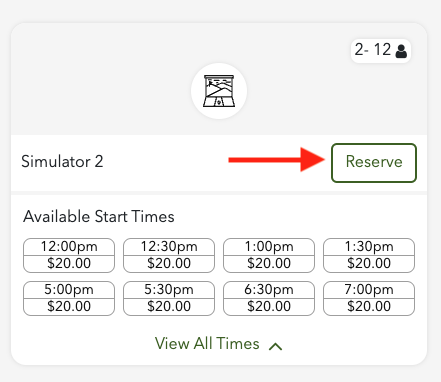
2. Select Reserve to book a time.
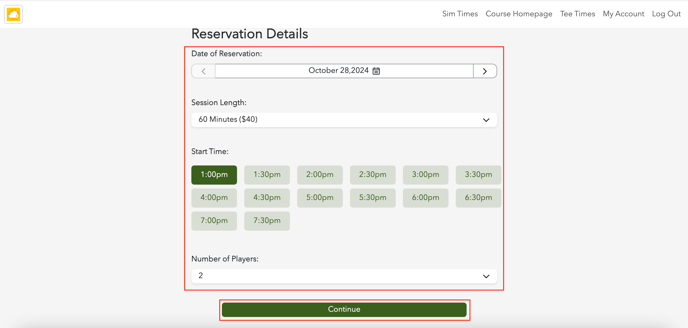
3. Provide your reservation information by choosing the date, session length, start time, and the number of players. Once you have filled in all the required fields, click Continue.
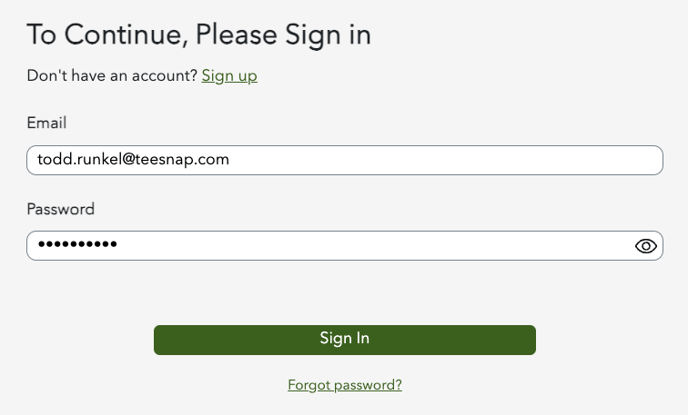
4. Log in to your existing account, or if you are a new user, click 'Sign Up' to create one.
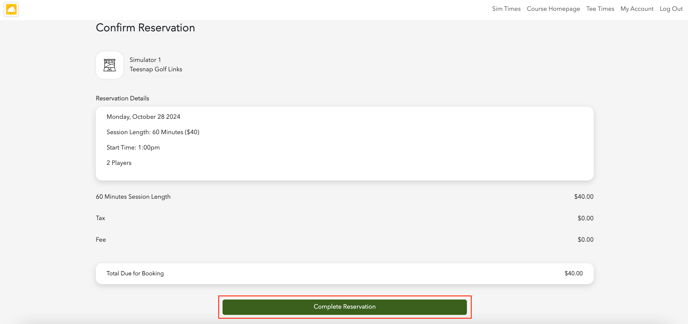
5. Confirm your reservation details and select Complete Reservation.
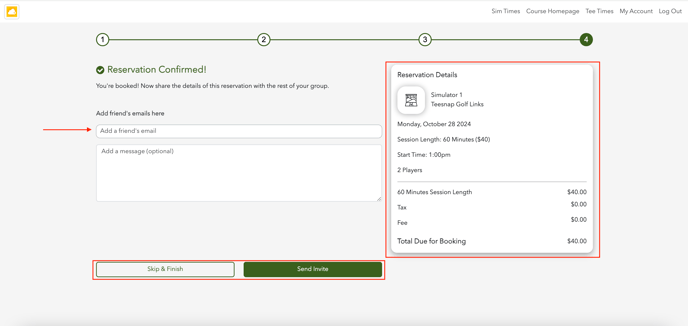
6. The reservation is confirmed. Enter your friend's emails here to send an invite or select Skip & Finish.
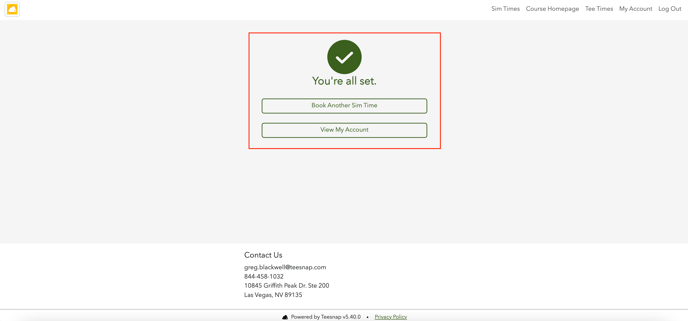
7. The reservation is now complete.
If you have any questions, please do not hesitate to reach out to Teesnap Support by emailing us at support@teesnap.com or calling 844-458-1032.