.png?width=240&height=55&name=Untitled%20design%20(86).png)
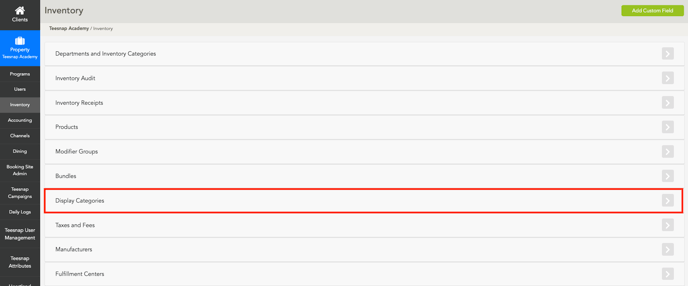
Step 1: Navigate to Inventory - Display Categories in the admin portal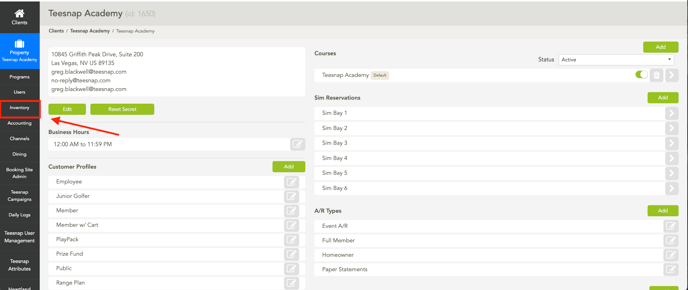
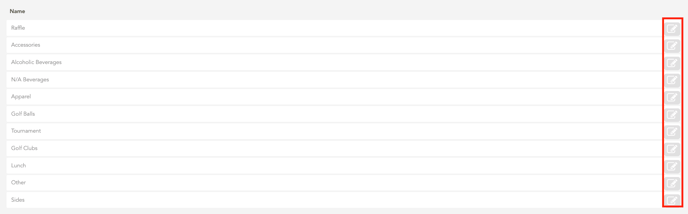
Step 2: Click on the Grey Pencil Icon on the right side of each box on the Display Category you would like to restrict
Step 3: Select which Departments you would like to be displayed or restricted
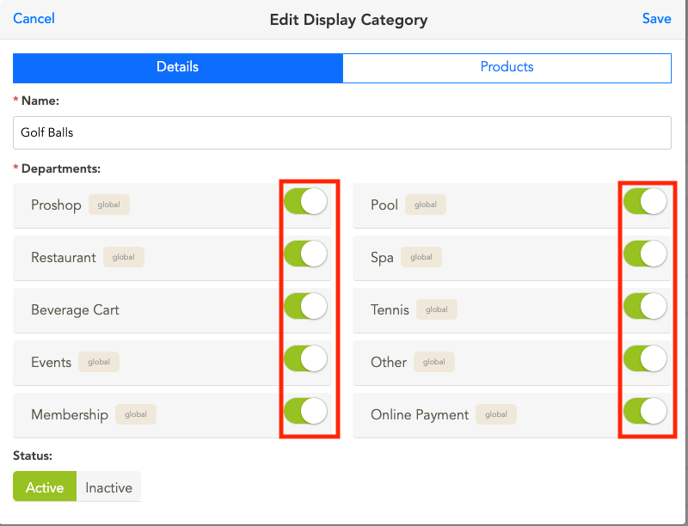
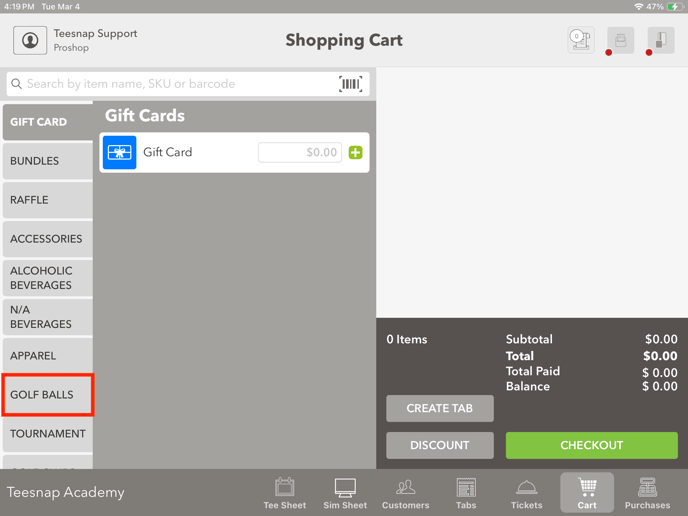
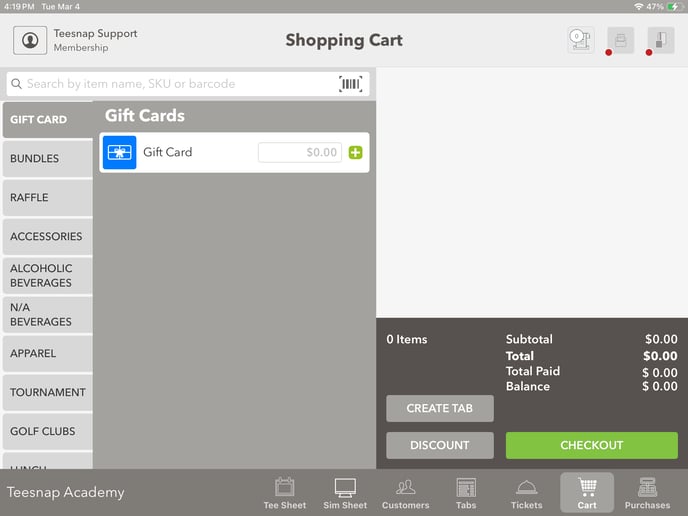
Now you'll see in the 2 separate departments, golf balls is only shown in Proshop.
If you have any questions, contact Teesnap Support at support@teesnap.com or call 844-458-1032