.png?width=240&height=55&name=Untitled%20design%20(86).png)
Step 1: Navigate to Users - User Roles in the admin portal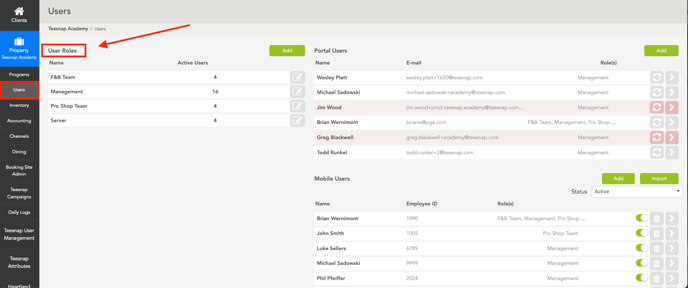
Step 2: Click the grey pencil on which user roles you would like to restrict
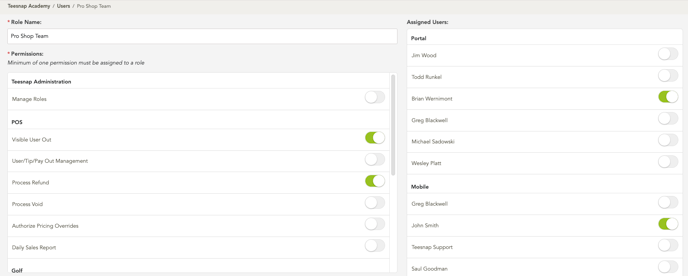
Step 3: Select Which of the Assigned Users you would like to have access and which permissions you would like them to have.
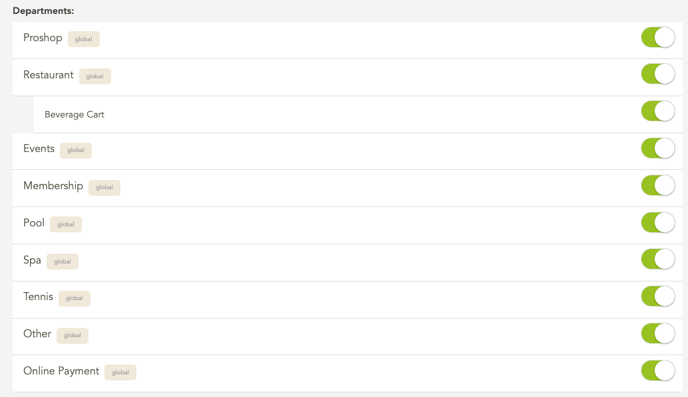
Step 4: The option to limit departments that users can enter is also available. Scroll down, and on the left side, you will see a section where you can disable certain departments by pressing the green button.
If you have any questions, contact Teesnap Support at support@teesnap.com or call 844-458-1032