.png?width=240&height=55&name=Untitled%20design%20(86).png)
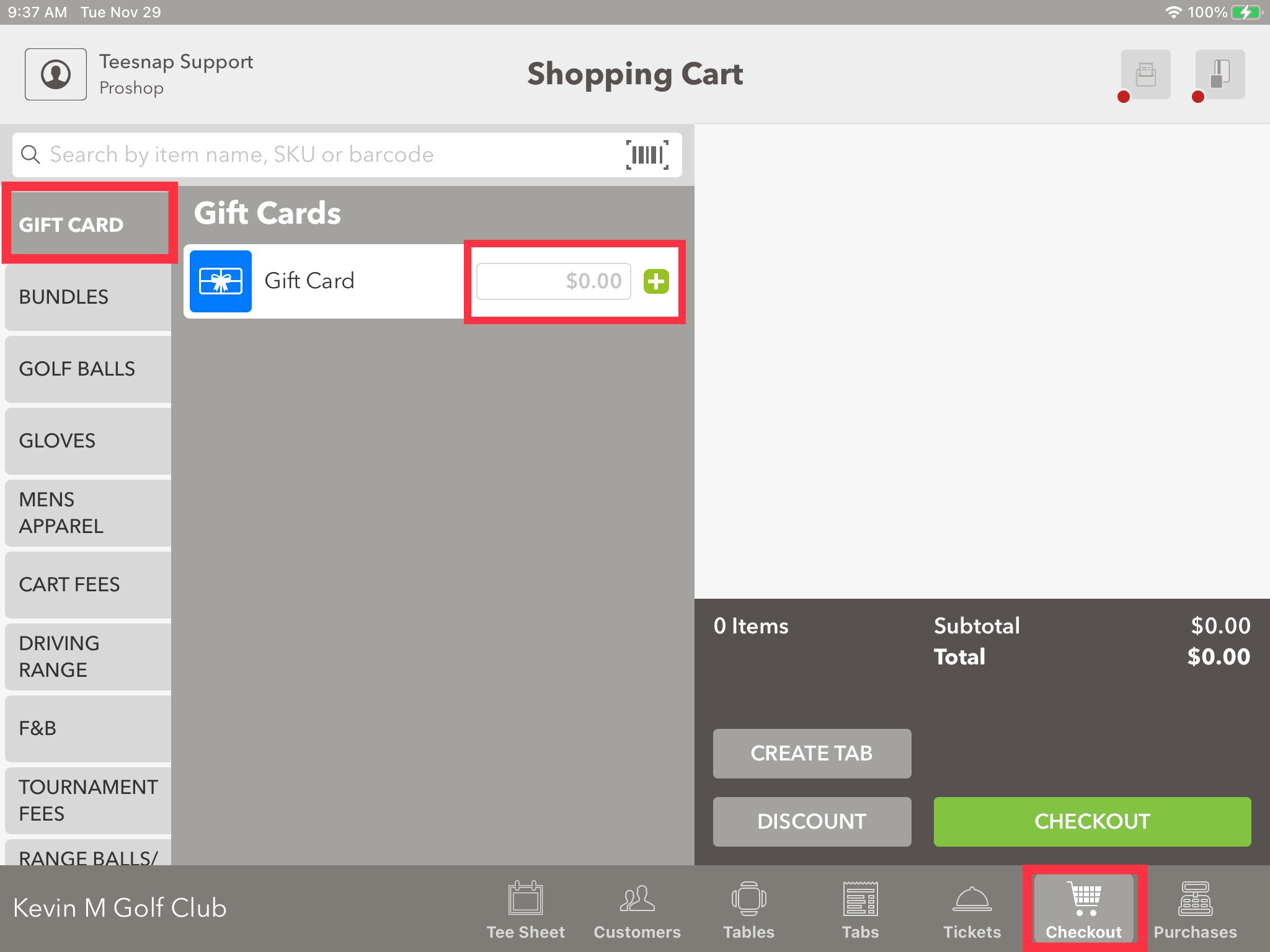
1. From the Checkout Screen Select Gift Card from the list of Display Categories. Then enter the Gift Card amount and select the "+" sign.
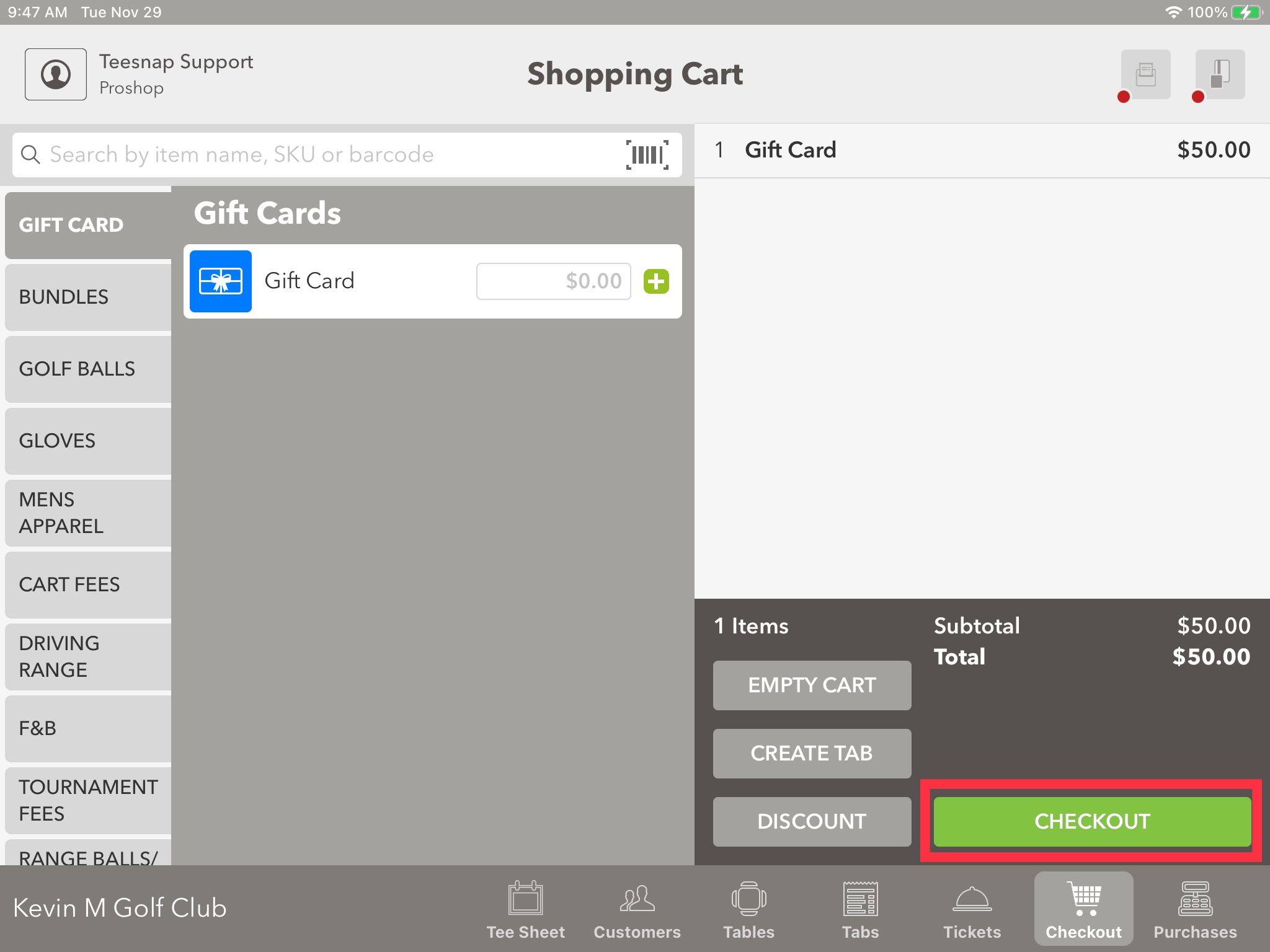
2. When finished entering all Gift Cards or products into the shopping cart Select Checkout.
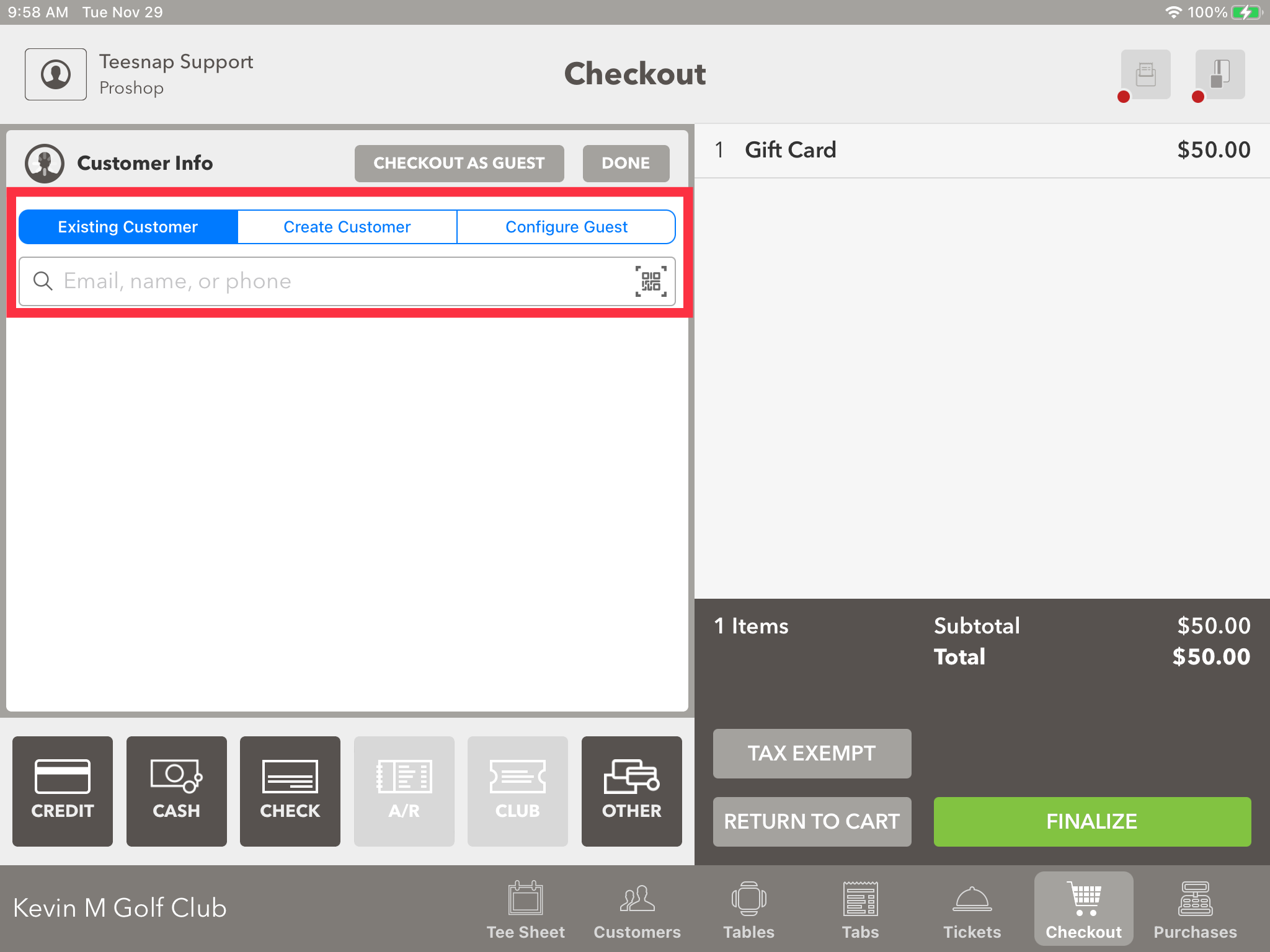
3. When selling a Gift Card it is required to have a customer record attached to the sale since it will email the gift card code to them. From the Checkout window, you have 3 options to find or add a customer. You can search your Existing Customer Database, you can Create a New Customer, or you can Configure a Guest in which you enter their name and email address.
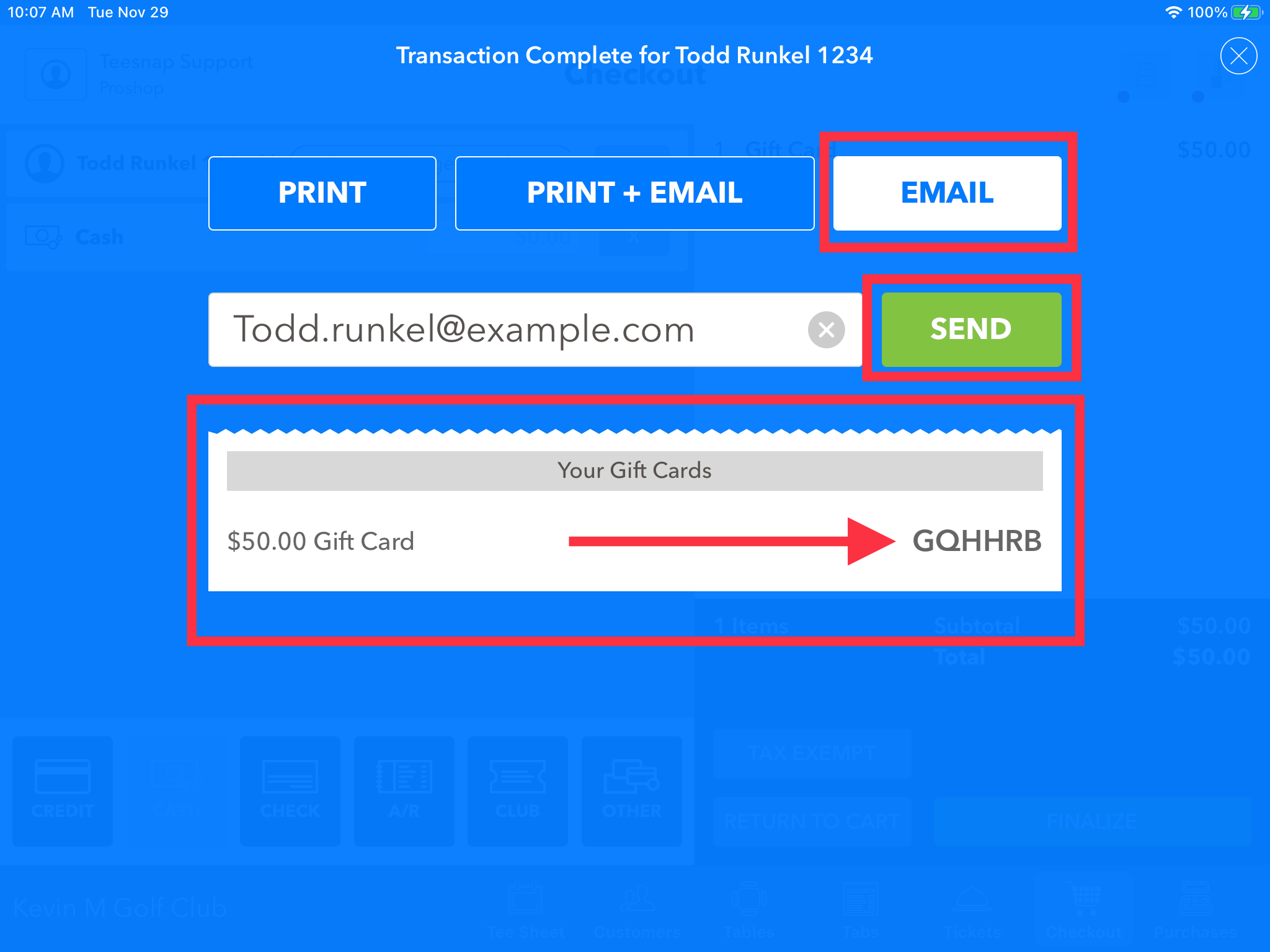
4. Now take payment for the Gift Card and select Finalize. Now you can Email them a copy of the receipt which has the 6-digit Gift Card code. It is also listed here for you to be able to write it on a paper gift certificate if needed.
If you have any questions, contact Teesnap Support at support@teesnap.com or call 844-458-1032