.png?width=240&height=55&name=Untitled%20design%20(86).png)
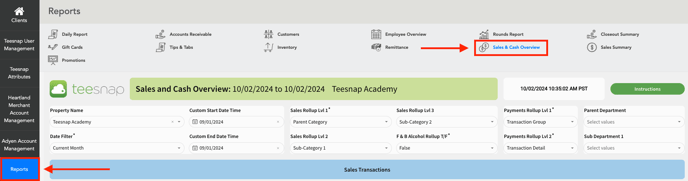
1. In the Admin Portal, navigate to the Reports section and select Sales & Cash Overview.
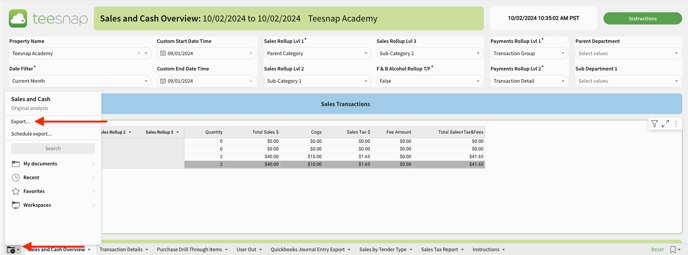
2. Navigate to the bottom of the page and click on the folder icon in the bottom left of the screen, then select Export.
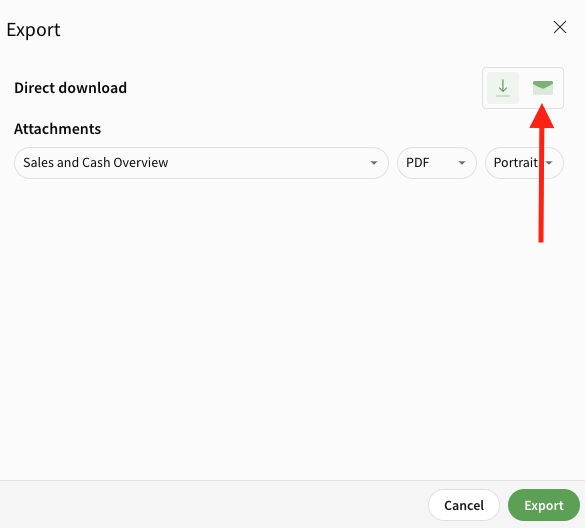
3. Click on the envelope icon to email the report directly.
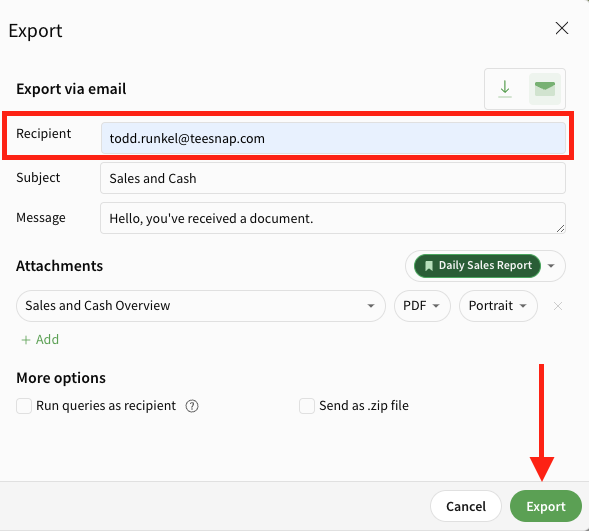
4. Enter the email address(es) where you would like to send this report. Select Export when complete.
If you have any questions, please do not hesitate to reach out to Teesnap Support by emailing us at support@teesnap.com or calling 844-458-1032.