.png?width=240&height=55&name=Untitled%20design%20(86).png)
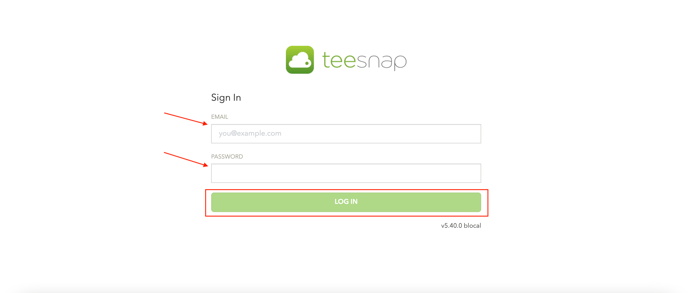
1. Start by logging in to Teesnap Web Admin.
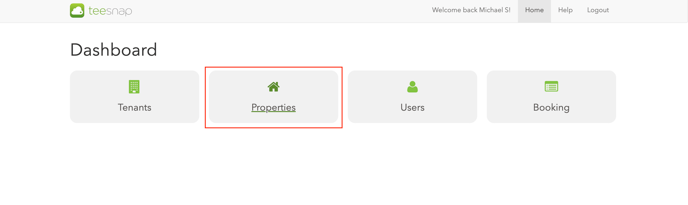
2. Click "Properties".
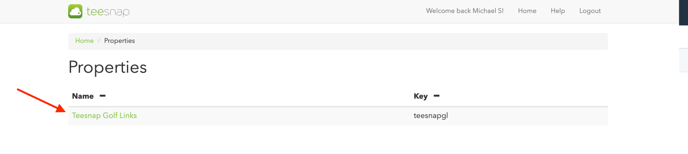
3. Click on the property you'd like to access.
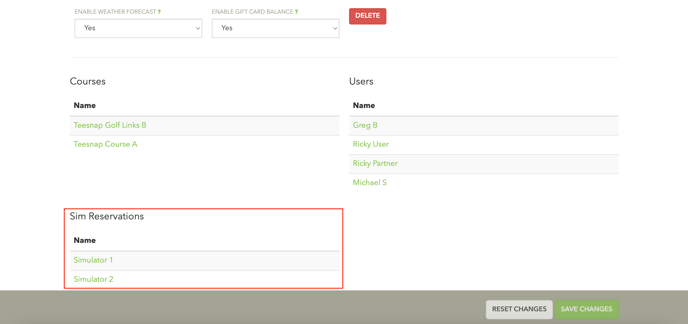
4. Scroll down to the bottom of the page, you'll see that the Sim Reservation simulators are listed underneath the Courses tab. Click into a simulator to make adjustments to the online booking engine. In our case, we clicked on "Simulator 1".
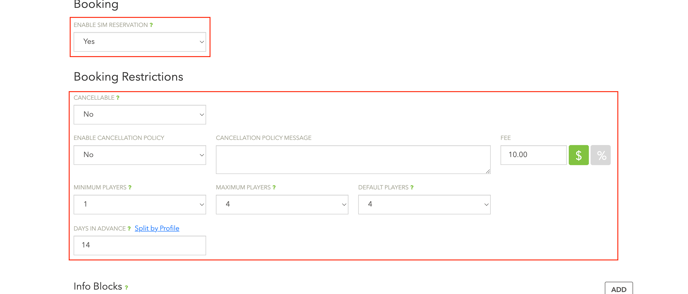
5. Similar to the courses page, clicking on Simulator 1 will navigate you to a new page as shown below. You can enable/disable the sim reservation online booking engine, apply cancellation policies, set min and max player count, adjust booking windows by player profile, info blocks, etc.
If you have any questions, please do not hesitate to reach out to Teesnap Support by emailing us at support@teesnap.com or calling 844-458-1032