.png?width=240&height=55&name=Untitled%20design%20(86).png)
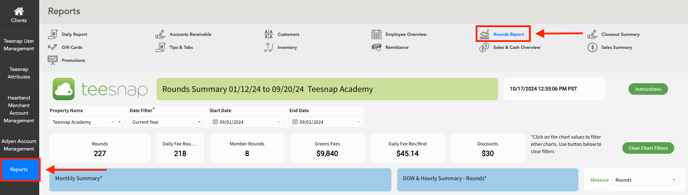
1. In the Teesnap Admin portal, click Reports on the left-hand side of the screen then click Rounds Report at the top of the page.
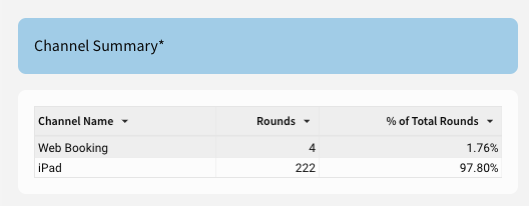
2. Find the Channel Summary section. Here you can see how tee times are coming through your booking channels. iPad = Phone-ins and walk-ups and Web Booking = Teesnap online Booking Engine.
If you have any questions, please do not hesitate to reach out to Teesnap Support by emailing us at support@teesnap.com or calling 844-458-1032