.png?width=240&height=55&name=Untitled%20design%20(86).png)
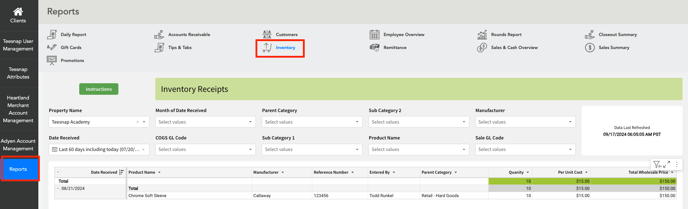
1. In the Admin Portal, navigate to the Reports section and then click on Inventory.
2. Navigate to the bottom of the page and click on the Current Inventory tab. In this workbook, you will see a few columns including parent category, product name, average unit cost, quantity on hand, total cost of goods, retail price, prod margin, and margin percent.
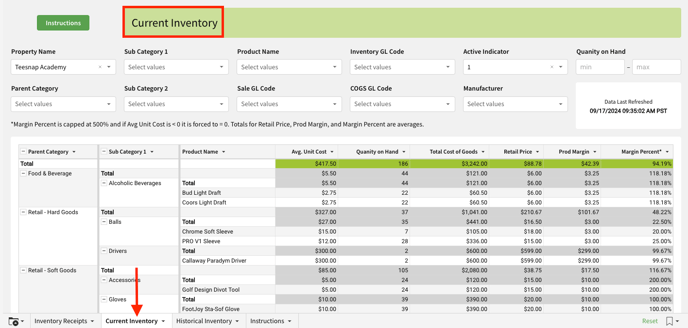
3. Utilize the custom filters at the top of the page to tailor the report to your specific requirements.

If you have any questions, please do not hesitate to reach out to Teesnap Support by emailing us at support@teesnap.com or calling 844-458-1032.