.png?width=240&height=55&name=Untitled%20design%20(86).png)
1. Access the Admin Portal, open the Reports section, select Sales Summary, and navigate to the Sales Trend tab.
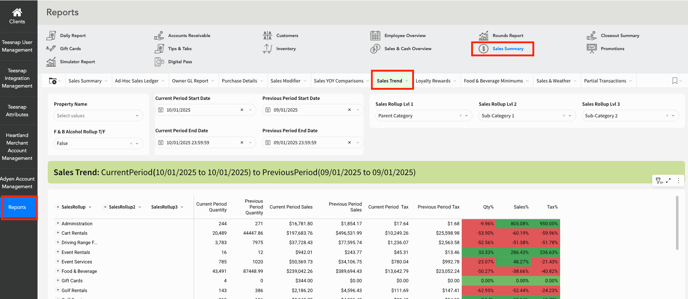
2. Apply the custom date filters to tailor the report according to your specific date requirements.

3. Leverage the three Sales Rollups to customize the report to match your specific report trends.

If you have any questions, please do not hesitate to reach out to Teesnap Support by emailing us at support@teesnap.com or calling 844-458-1032