.png?width=240&height=55&name=Untitled%20design%20(86).png)
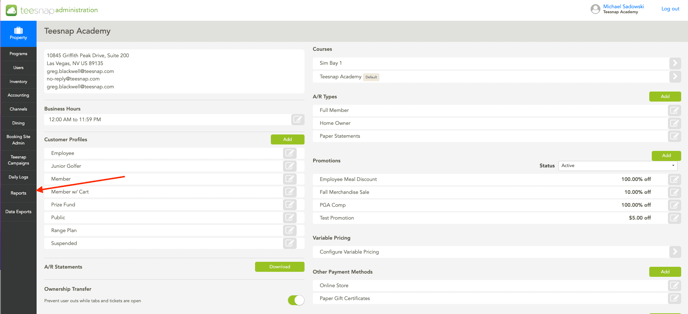
1. In Teesnap Admin, click on Reports on the left side banner of the page.
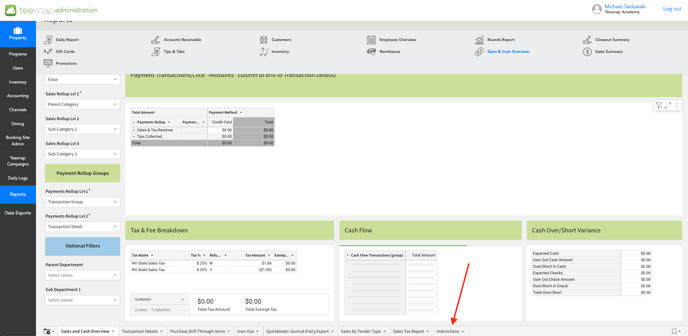
2. At the bottom of every workbook there's a clickable "instructions" tab, click this to learn more about the different filters associated with the report.
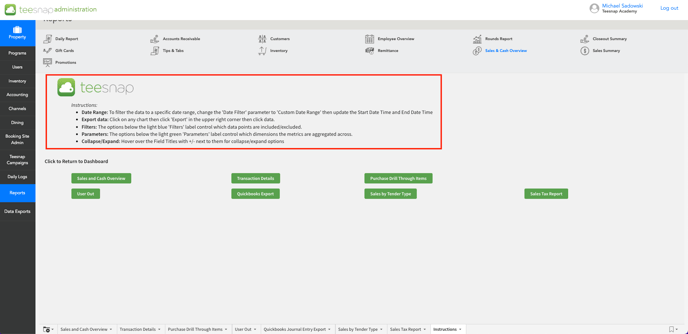
3. Below, you will see each filter with the right directions and information about filtering your data. These will help you find specific pieces of information within your reports.
If you have any questions, please do not hesitate to reach out to Teesnap Support by emailing us at support@teesnap.com or calling 844-458-1032