.png?width=240&height=55&name=Untitled%20design%20(86).png)
Rounds Report - Rounds Summary Section
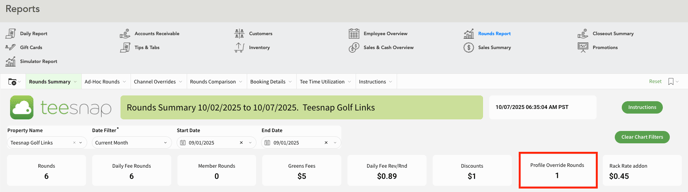
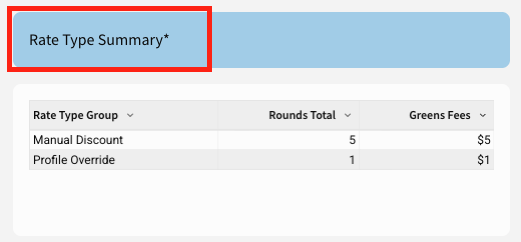
1. At the top of the Rounds Summary report, you’ll see Profile Override Rounds highlighted, with additional details available in the Rate Type Summary section.
Rounds Report - Ad-Hoc Rounds Section
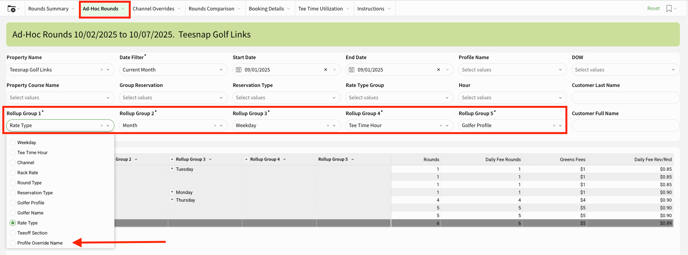
A filter has been added under each of the 5 Rollup Groups for Profile Override Name.
Rounds Report - Booking Details Section
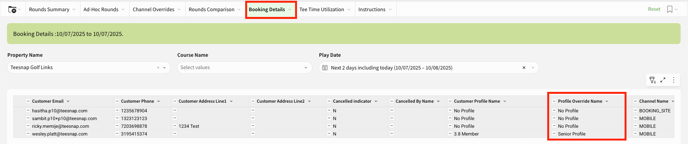
A column has been added to the booking details report showing the Profile Override Name.
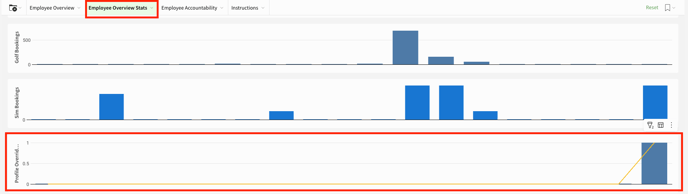
Employee Overview - Employee Overview Stats Section
Under the Employee Overview Stats section, we have a chart showing you the trend of how often the Profile Override is being booked.
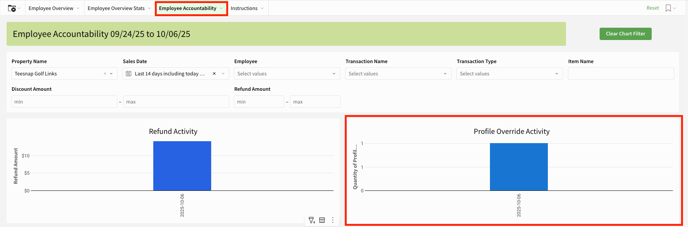
Employee Overview - Employee Accountability Section
Under the Employee Accountability section, we have a chart showing the number of profile overrides applied each day.
If you have any questions, please do not hesitate to reach out to Teesnap Support by emailing us at support@teesnap.com or calling 844-458-1032